0:00–0:48 ↗context
Repeated preparation needs connected calendar and email.
Sampled visual. Presenter, web workspace, plugin catalog.
Edit observation. Catalog detail follows broad setup views.
Window 0.000s–48.000s · visual sample 45.500s
CASE 15 / 60 · tutorial
Repeated meeting preparation motivates automation. The presenter first checks a single brief, then schedules that task and refines its format.
Narrative interpretation, grounded in the timed machine transcript and the sampled images below.
These are exact analytical ranges on the source clock, not frame-accurate cut boundaries. A beat may contain several shots. Images are sampled; no continuous viewing or listening pass is claimed.
Sampled visual. Presenter, web workspace, plugin catalog.
Edit observation. Catalog detail follows broad setup views.
Window 0.000s–48.000s · visual sample 45.500s
Sampled visual. Meeting prompt and side-by-side brief document.
Edit observation. Prompt-only sample precedes a readable output pane.
Window 48.000s–69.000s · visual sample 65.500s
Sampled visual. Scheduled-task list, timing card, expanded brief.
Edit observation. Schedule views precede the revised document view.
Window 69.000s–104.000s · visual sample 80.500s
Sampled visual. Different prompt cards beside the presenter.
Edit observation. Small overlays replace the full-screen workflow.
Window 104.000s–129.674s · visual sample 110.500s
48.000s–84.000s · Compare with the original ↗
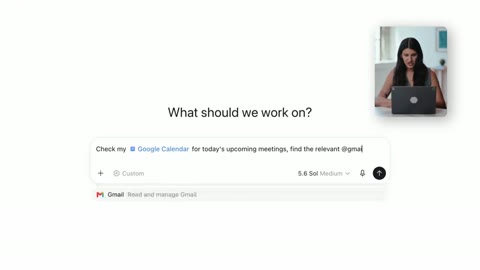
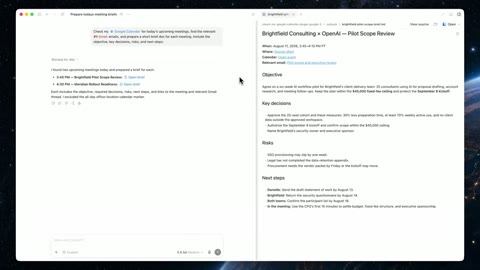
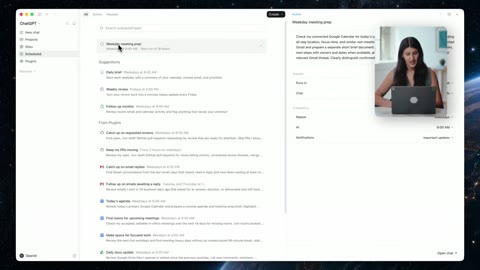
Request, completed brief, and schedule listing appear in that order.
Interpretation: useful output earns repetition rather than assuming it.
Run your task once, inspect the result, then show its recurring configuration.
The listing does not demonstrate a later unattended run.
| Source range | Paraphrase + speech anchor |
|---|---|
| 0:00–0:48 ↗ | Repeated preparation needs connected calendar and email.ASR word start 4.160s |
| 0:48–1:09 ↗ | Inspect one brief before scheduling it.ASR word start 48.580s |
| 1:09–1:44 ↗ | Schedule the routine and apply saved instructions.ASR word start 69.600s |
| 1:44–2:09 ↗ | Other recurring requests broaden the example.ASR word start 104.080s |