Product film / 00:46 / Published 2025-07-17
A Look at ChatGPT agent
A compact capability reel keeps one floating task window on a blue field, alternating browser evidence with explanatory cards.
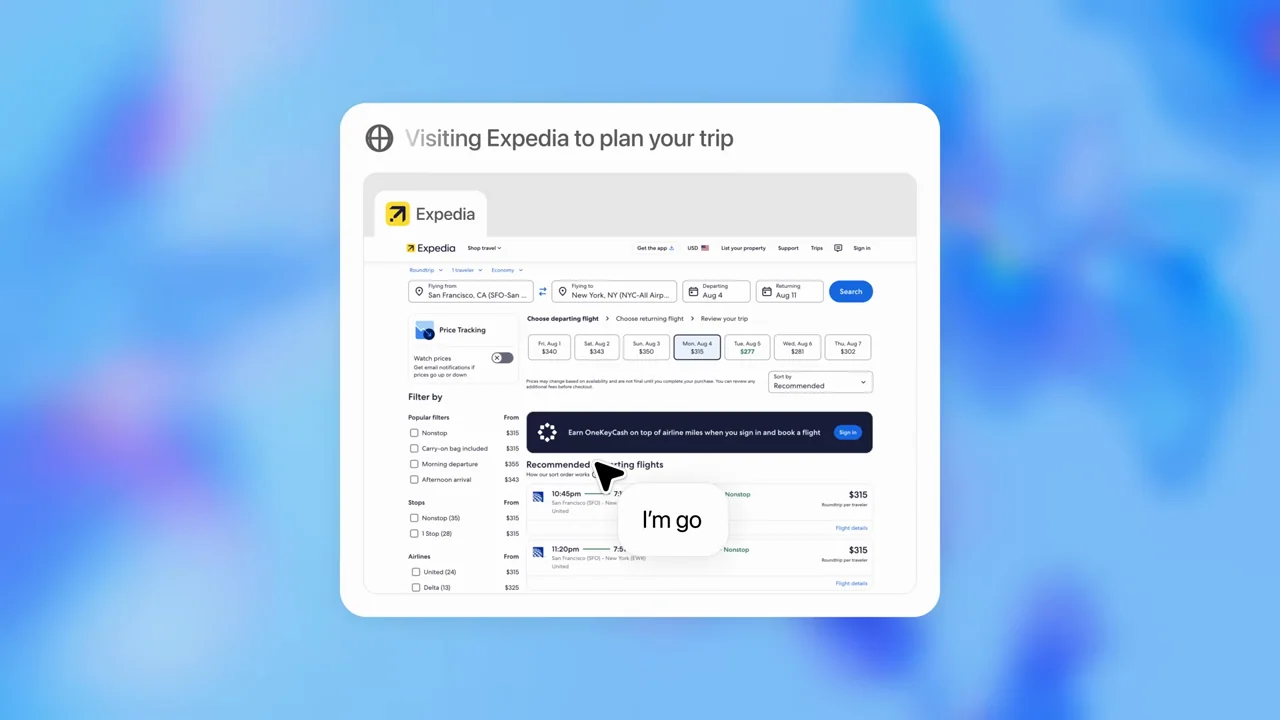
Useful to borrow
Keep the task container consistent while changing its contents. Short chapter statements separate browser work, code, connections, and deliverables.
Do not infer
The Gmail and Calendar sequences are stylized connection graphics, not readable app walkthroughs. Do not copy their treatment as proof of a working your product integration.
Look closer
- Container first, explanation second, live page third · 00:04–00:07
- A connector sequence with a moving background and quiet foreground · 00:18–00:24
- Grow charts and stagger cards inside a stable preview · 00:34–00:39
- Keep the task frame; change the evidence · 00:07–00:12
14 shot groups.
Read across from the observed content to its treatment and possible adaptation. Enlarge the frame for detail.
Approximate study intervals; horizontal scrolling reveals all columns on small screens.
| Moment / source | Reference frame | What is on screen | Framing / edit | Useful adaptation |
|---|---|---|---|---|
| Shot group 01 ≈ 00:00–00:05 Title / identityWatch from here ↗ | Sample 00:02.000 | Capability card A short web-action statement appears over a soft blue background. | Centered type; no application chrome. | Label the next task before showing controls. |
| Shot group 02 ≈ 00:05–00:07 Graphic interludeWatch from here ↗ | Sample 00:06.000 | Task-window illustration A floating task container introduces a cursor and a search-status bubble. | One small window against a broad field. | Establish a recurring container for a capability reel. |
| Shot group 03 ≈ 00:07–00:10 App / browser screenWatch from here ↗ | Sample 00:08.000 | Travel website A travel homepage appears inside the task window with an action annotation. | Small browser surface; pointer-adjacent explanation. | Keep explanatory text outside the important UI. |
| Shot group 04 ≈ 00:10–00:13 App / browser screenWatch from here ↗ | Sample 00:12.000 | Flight results Flight search results replace the homepage while the status bubble changes. | Same container and background retain continuity. | Show the result of the preceding action. |
| Shot group 05 ≈ 00:13–00:15 Title / identityWatch from here ↗ | Sample 00:14.000 | Code chapter A code-execution statement replaces the task window. | Full reset to centered type. | Separate a new kind of work with a brief label. |
| Shot group 06 ≈ 00:15–00:17 App / browser screenWatch from here ↗ | Sample 00:16.000 | Code execution panel A dark code panel sits inside the same light task card. | Strong dark-on-light contrast within the established frame. | Make a technical step visually distinct without changing layout. |
| Shot group 07 ≈ 00:17–00:19 Title / identityWatch from here ↗ | Sample 00:18.000 | Connections chapter A connections statement introduces the next pair of examples. | Repeated blue-field chapter grammar. | Use consistent chapter transitions as recognizable cues. |
| Shot group 08 ≈ 00:19–00:24 Graphic interludeWatch from here ↗ | Sample 00:22.000 | Mail connection illustration A mail-service icon, skeleton rows, and an explanatory bubble fill the card. | Illustrated connection state rather than readable mail UI. | Use an illustration only when it is clearly labeled as such. |
| Shot group 09 ≈ 00:24–00:29 Graphic interludeWatch from here ↗ | Sample 00:26.000 | Calendar connection illustration The calendar icon replaces the mail icon in the same simplified card. | Matched placement across adjacent examples. | Compare categories without asking viewers to relearn the composition. |
| Shot group 10 ≈ 00:29–00:31 Title / identityWatch from here ↗ | Sample 00:30.000 | Deliverables chapter A statement introduces slides and spreadsheets. | Short two-line centered card. | Name the output category before revealing it. |
| Shot group 11 ≈ 00:31–00:35 App / browser screenWatch from here ↗ | Sample 00:34.000 | Presentation preview A loading presentation pane resolves into a blue cover slide with navigation controls. | Artifact shown inside a task window. | Keep enough controls to distinguish a usable deliverable from a still. |
| Shot group 12 ≈ 00:35–00:39 App / browser screenWatch from here ↗ | Sample 00:38.000 | Presentation navigation Interior slides appear with the same bottom navigation controls. | Successive pages retain the same frame. | Show a representative interior page, not only the cover. |
| Shot group 13 ≈ 00:39–00:41 App / browser screenWatch from here ↗ | Sample 00:40.000 | Spreadsheet preview A table replaces the slide preview inside the task card. | Output-category change with a stable outer shell. | End a multi-output sequence on a different tangible artifact. |
| Shot group 14 ≈ 00:41–00:46 Title / identityWatch from here ↗ | Sample 00:44.000 | End identity The blue field gives way to a white brand ending. | Centered identity; simplified final screen. | Return to the presentation's own ending card. |