Screen tutorial / 02:06 / Published 2025-04-08
Writing with canvas in ChatGPT
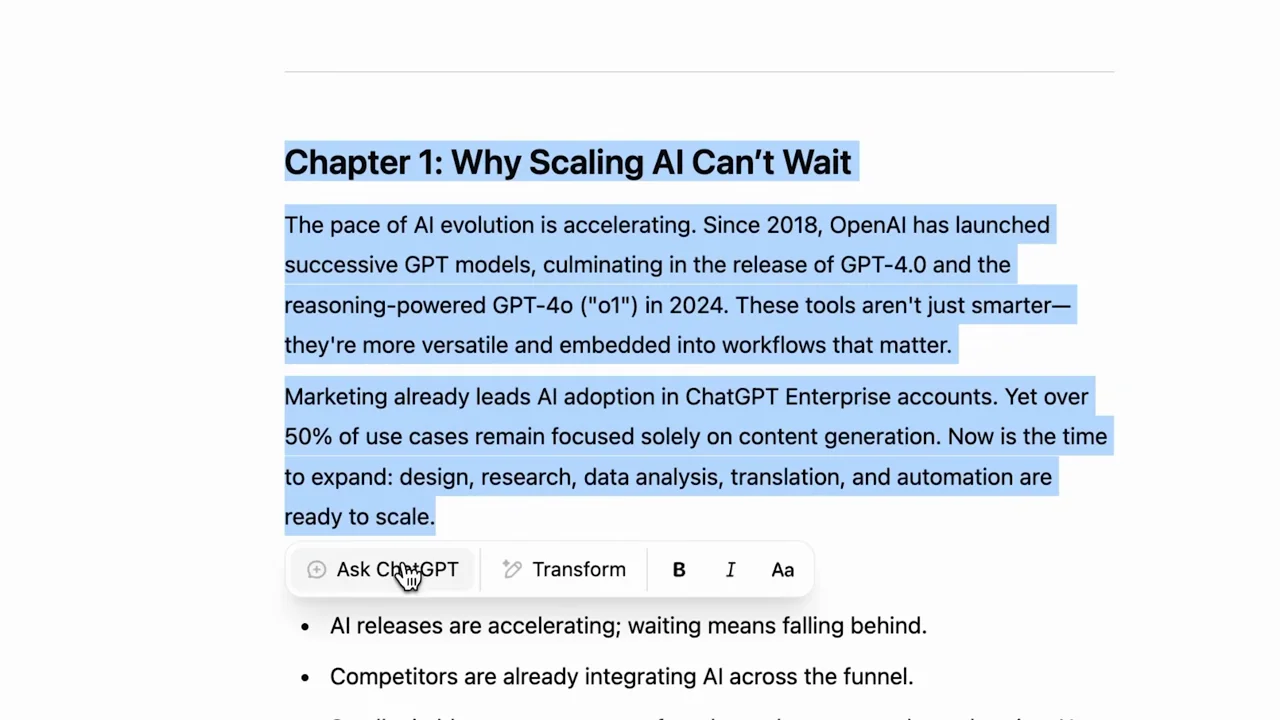
An uploaded transcript becomes a summary, then a longer document, then a selected-paragraph revision inside a split canvas workspace.
Useful to borrow
Use native text selection and a contextual request to show exactly what a revision targets.
Do not infer
The study does not validate cited statistics or confirm that every detail of the source transcript survives the edits.
Look closer
- Anchor the request to the selected passage · 01:22–01:30
7 shot groups.
Read across from the observed content to its treatment and possible adaptation. Enlarge the frame for detail.
Approximate study intervals; horizontal scrolling reveals all columns on small screens.
| Moment / source | Reference frame | What is on screen | Framing / edit | Useful adaptation |
|---|---|---|---|---|
| Shot group 01 ≈ 00:00–00:12 Title / identityWatch from here ↗ | Sample 00:08.000 | Writing tutorial opener A title introduces writing from an uploaded transcript. | Minimal how-to card. | Name the source and intended output. |
| Shot group 02 ≈ 00:12–00:36 App / browser screenWatch from here ↗ | Sample 00:28.000 | Transcript input Canvas selection, a prompt, and an attachment lead to a source transcript document. | Setup with a source-document cutaway. | Show where the material comes from. |
| Shot group 03 ≈ 00:36–01:04 App / browser screenWatch from here ↗ | Sample 00:52.000 | Summary canvas A generated summary fills the right pane, with closer text views. | Whole workspace and reading crops. | Let the audience inspect a representative passage. |
| Shot group 04 ≈ 01:04–01:24 App / browser screenWatch from here ↗ | Sample 01:16.000 | Longer draft A follow-up request expands the summary into a chaptered document. | Instruction beside its evolving artifact. | Make the transformation explicit. |
| Shot group 05 ≈ 01:24–01:40 App / browser screenWatch from here ↗ | Sample 01:28.000 | Selected revision A paragraph is selected and a contextual request appears beneath it. | Native selection as visual emphasis. | Keep the edit target and instruction together. |
| Shot group 06 ≈ 01:40–02:00 App / browser screenWatch from here ↗ | Sample 01:52.000 | Sources and finished document Source cards remain in the conversation beside the updated document, followed by its closing section. | Evidence column plus artifact view. | Keep attribution visible without claiming the sources were independently checked. |
| Shot group 07 ≈ 02:00–02:06 Title / identityWatch from here ↗ | Sample 02:04.000 | End mark The document fades to the closing mark. | Quiet white close. | End after the final reading hold. |