Presenter demo / 02:34 / Published 2026-05-08
Codex can now use Chrome directly on macOS and Windows.
A two-angle presenter introduction leads through extension setup, browser research, receipt entry, and a drawing game.
Useful to borrow
Separate installation, a serious workflow, and a playful example with presenter returns.
Do not infer
Do not equate a populated form with a submitted transaction or a fast montage with measured task speed.
9 shot groups.
Read across from the observed content to its treatment and possible adaptation. Enlarge the frame for detail.
Approximate study intervals; horizontal scrolling reveals all columns on small screens.
| Moment / source | Reference frame | What is on screen | Framing / edit | Useful adaptation |
|---|---|---|---|---|
| Shot group 01 ≈ 00:00–00:26 People / environmentWatch from here ↗ | Sample 00:12.000 | Two-angle introduction Wide and closer presenter views alternate in a bright room. | Camera-angle cuts preserve setting. | Vary human coverage without moving the interface constantly. |
| Shot group 02 ≈ 00:26–00:46 App / browser screenWatch from here ↗ | Sample 00:32.000 | Plugin discovery A catalog insert is bracketed by presenter explanation. | Wide app on a blue field. | Establish where the integration is found. |
| Shot group 03 ≈ 00:46–01:00 App / browser screenWatch from here ↗ | Sample 00:56.000 | Extension installation A plugin dialog leads to the Chrome store and added confirmation. | Progressively closer native surfaces. | Retain the successful setup state. |
| Shot group 04 ≈ 01:00–01:18 App / browser screenWatch from here ↗ | Sample 01:12.000 | Research request Presenter coverage leads to a browser-research prompt. | Input crop before task execution. | Make the requested scope readable. |
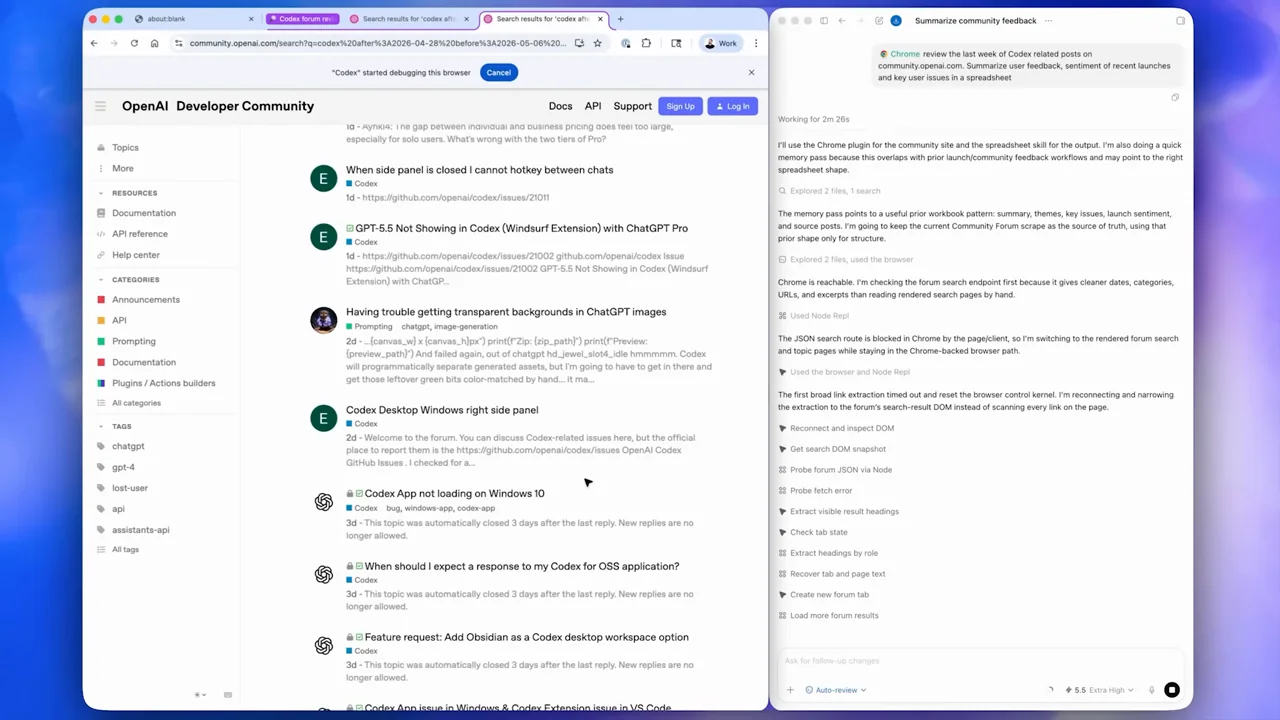
| Shot group 05 ≈ 01:18–01:40 App / browser screenWatch from here ↗ | Sample 01:24.000 | Browser research evidence Search results, community posts, and a result summary alternate. | Browser beside the assistant; detail crops. | Show both the evidence and its interpretation. |
| Shot group 06 ≈ 01:40–02:00 App / browser screenWatch from here ↗ | Sample 01:56.000 | Receipt workflow A new prompt leads through upload and expense-description fields. | Native form detail rather than an isolated success card. | Distinguish preparation from submission. |
| Shot group 07 ≈ 02:00–02:26 App / browser screenWatch from here ↗ | Sample 02:20.000 | Drawing-game example Presenter shots introduce a prompt and an interactive drawing grid. | Grouped human bridge and browser result. | Use a playful second example only after the main claim is clear. |
| Shot group 08 ≈ 02:26–02:32 People / environmentWatch from here ↗ | Sample 02:28.000 | Closing presenter The wider presenter view returns. | Matched framing. | Return to the speaker before the outro. |
| Shot group 09 ≈ 02:32–02:34 Title / identityWatch from here ↗ | Sample 02:32.000 | End card A white wordmark closes the piece. | Simple identity. | End without introducing another task. |