Product film / 01:39 / Published 2026-04-16
Codex for (almost) everything
A capability reel uses statement cards to separate computer interaction, browser inspection, image creation, connectors, planning, and file viewing.
Useful to borrow
Give each capability a compact input/action/result cluster.
Do not infer
Generated sites and games are example outputs, not standard host-app features.
6 shot groups.
Read across from the observed content to its treatment and possible adaptation. Enlarge the frame for detail.
Approximate study intervals; horizontal scrolling reveals all columns on small screens.
| Moment / source | Reference frame | What is on screen | Framing / edit | Useful adaptation |
|---|---|---|---|---|
| Shot group 01 ≈ 00:00–00:12 App / browser screenWatch from here ↗ | Sample 00:08.000 | Coding and desktop result An opening title leads to code and a small game window. | Layered application windows. | Show the result beside the work. |
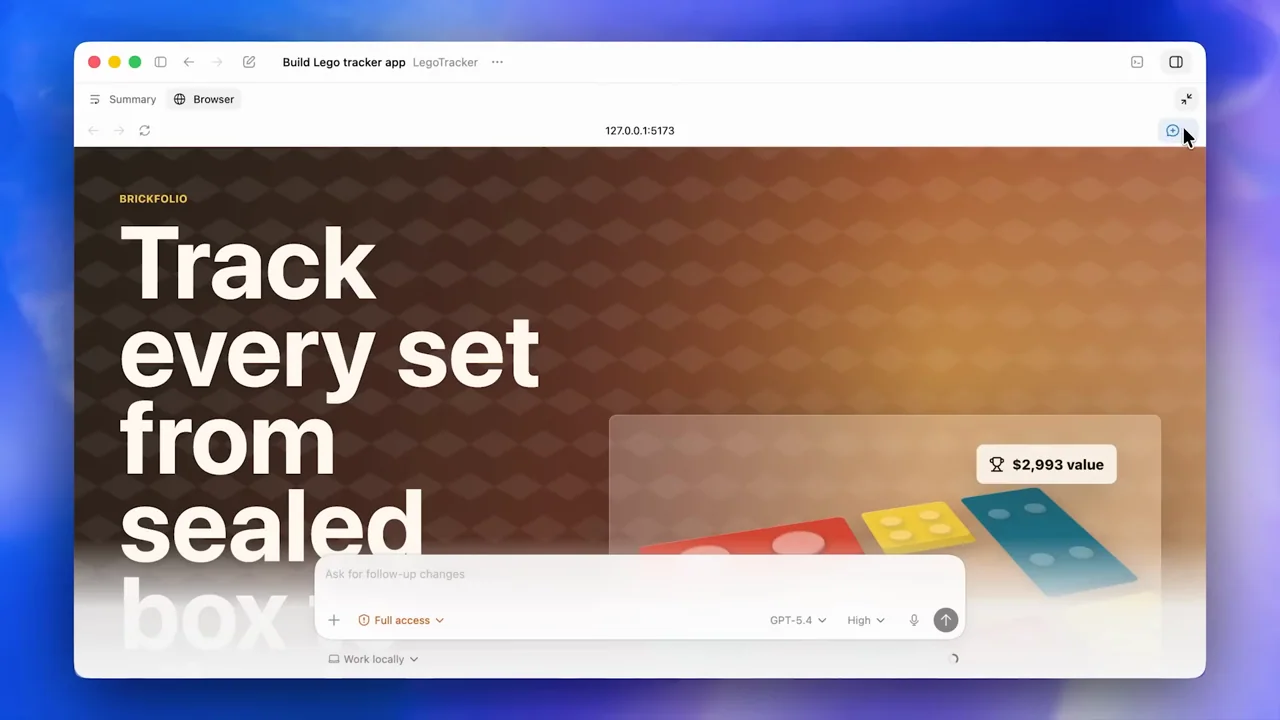
| Shot group 02 ≈ 00:12–00:30 App / browser screenWatch from here ↗ | Sample 00:24.000 | Browser inspection A chapter leads to a generated site and contextual inspection controls. | Whole page then targeted interaction. | Retain the application frame around generated output. |
| Shot group 03 ≈ 00:30–00:44 App / browser screenWatch from here ↗ | Sample 00:40.000 | Image generation A statement and prompt lead to an image and restaurant-site preview. | Input-to-artifact pairing. | Link the asset to its use. |
| Shot group 04 ≈ 00:44–01:02 App / browser screenWatch from here ↗ | Sample 00:52.000 | Connected tools A tools chapter shows plugin details and subsequent composer references. | Catalog detail and permission text. | Keep tool access explicit. |
| Shot group 05 ≈ 01:02–01:20 App / browser screenWatch from here ↗ | Sample 01:12.000 | Planning and follow-up Written plans and a multi-source response fill the conversation. | Readable text close-ups. | Select the sentence the audience needs rather than scrolling everything. |
| Shot group 06 ≈ 01:20–01:39 App / browser screenWatch from here ↗ | Sample 01:36.000 | File viewing A file-viewing chapter leads to spreadsheet output and an inline table. | Whole workspace and data detail. | Finish on an inspectable artifact. |