Presenter demo / 01:38 / Published 2026-05-21
Run long tasks in Codex using goals
Presenter segments alternate with goal entry, visible work, pause controls, and an editable goal dialog.
Useful to borrow
Explain task control through real state changes rather than only showing a prompt.
Do not infer
Compressed progress and code changes do not independently establish correctness.
7 shot groups.
Read across from the observed content to its treatment and possible adaptation. Enlarge the frame for detail.
Approximate study intervals; horizontal scrolling reveals all columns on small screens.
| Moment / source | Reference frame | What is on screen | Framing / edit | Useful adaptation |
|---|---|---|---|---|
| Shot group 01 ≈ 00:00–00:18 People / environmentWatch from here ↗ | Sample 00:08.000 | Presenter setup A presenter introduces the workflow from a fixed room view. | Medium frontal framing. | State the reason for a long-running task. |
| Shot group 02 ≈ 00:18–00:40 App / browser screenWatch from here ↗ | Sample 00:28.000 | Goal entry The composer shows goal mode and a migration instruction. | Tight input crop. | Make the desired outcome legible. |
| Shot group 03 ≈ 00:40–00:54 App / browser screenWatch from here ↗ | Sample 00:48.000 | Further prompt example A brief composer example interrupts presenter explanation. | Grouped presenter and interface inserts. | Keep alternate examples short and clearly separate. |
| Shot group 04 ≈ 00:54–01:14 App / browser screenWatch from here ↗ | Sample 01:08.000 | Active and paused work Status, edits, and a paused goal appear above the composer. | Bottom-of-thread control crop. | Show intervention controls, not just autonomous activity. |
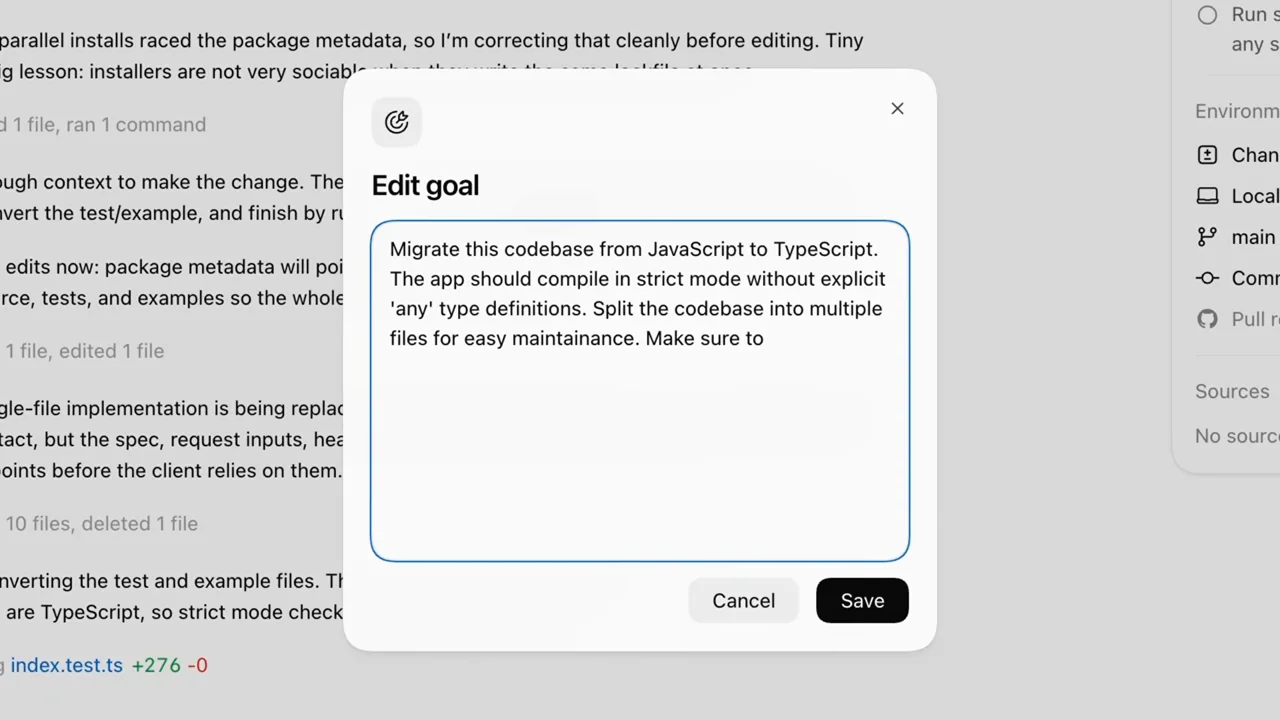
| Shot group 05 ≈ 01:14–01:26 App / browser screenWatch from here ↗ | Sample 01:20.000 | Edit goal A modal allows the instruction to be changed amid presenter coverage. | Focused dialog with the task behind it. | Keep edits attached to the same running task. |
| Shot group 06 ≈ 01:26–01:34 People / environmentWatch from here ↗ | Sample 01:32.000 | Presenter closing The presenter returns to the same room view. | Stable return shot. | Separate explanation from result proof. |
| Shot group 07 ≈ 01:34–01:38 Title / identityWatch from here ↗ | Sample 01:36.000 | Identity ending A white OpenAI card ends the piece. | Centered type. | Use your own ending card. |