Presenter demo / 01:49 / Published 2026-05-29
Windows Computer Use and mobile access for Codex
A presenter separates desktop computer-use setup from mobile pairing, with readable settings inserts between explanations.
Useful to borrow
Keep setup, task proof, and device pairing as distinct chapters.
Do not infer
A connected-device confirmation is not proof of every remote operation or its latency.
7 shot groups.
Read across from the observed content to its treatment and possible adaptation. Enlarge the frame for detail.
Approximate study intervals; horizontal scrolling reveals all columns on small screens.
| Moment / source | Reference frame | What is on screen | Framing / edit | Useful adaptation |
|---|---|---|---|---|
| Shot group 01 ≈ 00:00–00:26 People / environmentWatch from here ↗ | Sample 00:12.000 | Presenter introduction A medium presenter shot establishes the topic. | Warm room; steady framing. | Use a human introduction before technical setup. |
| Shot group 02 ≈ 00:26–00:35 App / browser screenWatch from here ↗ | Sample 00:32.000 | Computer-use settings General settings give way to computer-use options. | Whole desktop then closer settings. | Locate the feature before activating it. |
| Shot group 03 ≈ 00:35–00:50 App / browser screenWatch from here ↗ | Sample 00:48.000 | Prompt to Paint A composer request leads to a drawing in Paint. | Tight input then wider application proof. | Pair a request with its visible result. |
| Shot group 04 ≈ 00:50–01:14 People / environmentWatch from here ↗ | Sample 01:04.000 | Second explanation The same presenter returns before device setup. | Matched camera position. | Separate capabilities without introducing a new visual system. |
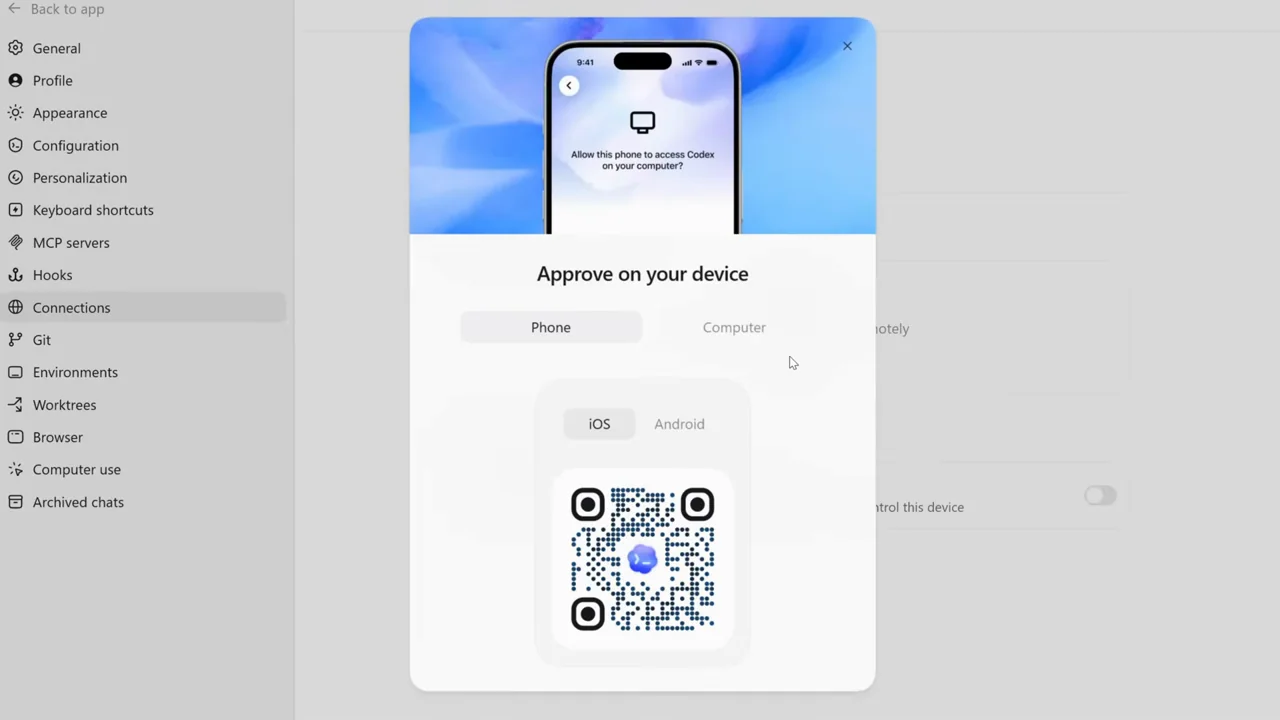
| Shot group 05 ≈ 01:14–01:30 App / browser screenWatch from here ↗ | Sample 01:24.000 | Mobile pairing Connections settings show a QR approval screen and connected state. | Centered modal over dimmed settings. | Keep the approval and confirmation visible. |
| Shot group 06 ≈ 01:30–01:46 App / browser screenWatch from here ↗ | Sample 01:36.000 | Phone insert and close A phone composer appears between presenter closing shots. | Device insert on the desktop background; grouped coverage. | Show the actual mobile surface rather than implying parity. |
| Shot group 07 ≈ 01:46–01:49 Title / identityWatch from here ↗ | Sample 01:48.000 | End mark A white identity card closes the film. | Minimal centered mark. | Use an original closing identity. |