Product film / 00:55 / Published 2026-07-10
ChatGPT Computer Use: Now faster with Live Picture-in-Picture
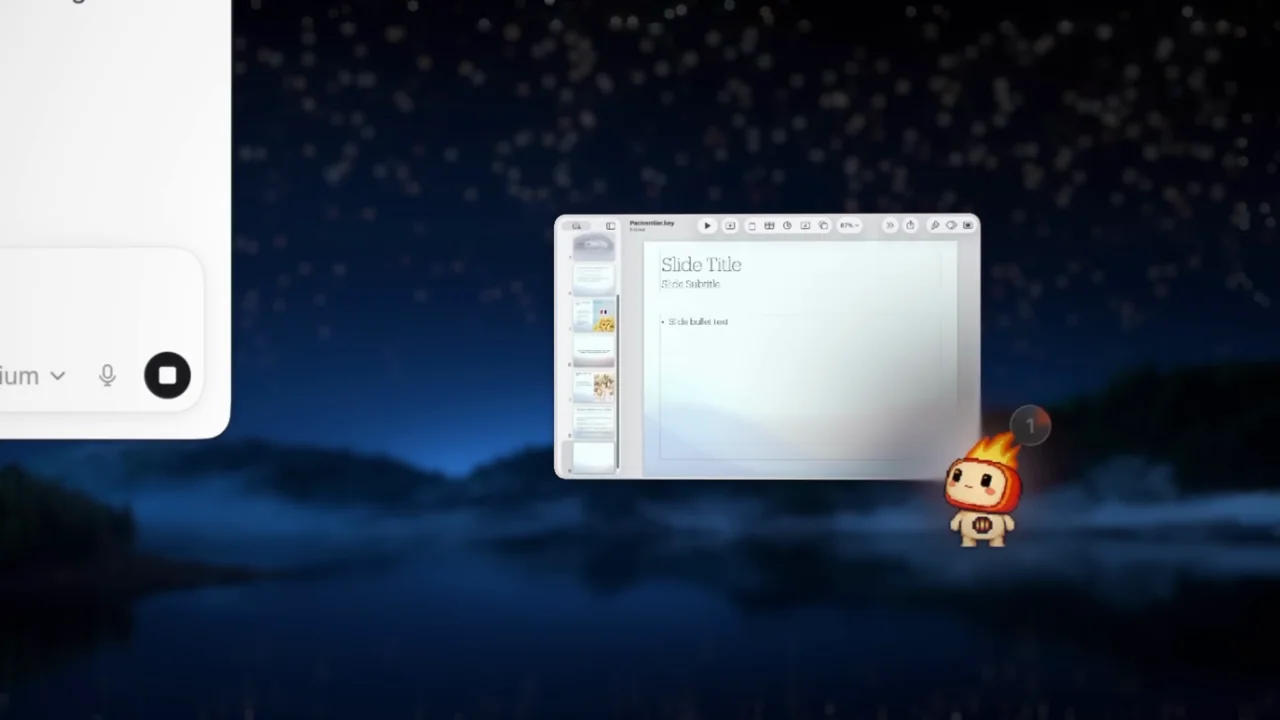
A scenic desktop and animated companion frame a picture-in-picture demonstration. Small working windows stay visible while the foreground context changes.
Useful to borrow
Use persistent position to help viewers track a background task. Re-establish the desktop before demonstrating concurrent windows.
Do not infer
The animated character and desktop are source identity, not your product assets. The film's speed claim is promotional; this study does not measure latency.
Look closer
- Use a luminous pointer path to redirect attention · 00:04–00:09
- Keep background work visible through a context change · 00:25–00:29
12 shot groups.
Read across from the observed content to its treatment and possible adaptation. Enlarge the frame for detail.
Approximate study intervals; horizontal scrolling reveals all columns on small screens.
| Moment / source | Reference frame | What is on screen | Framing / edit | Useful adaptation |
|---|---|---|---|---|
| Shot group 01 ≈ 00:00–00:04 Title / identityWatch from here ↗ | Sample 00:02.000 | Capability statement A computer-use statement appears over a night landscape. | Centered type on a scenic desktop. | Use your own visual identity for a brief capability introduction. |
| Shot group 02 ≈ 00:04–00:10 Graphic interludeWatch from here ↗ | Sample 00:08.000 | Companion and cursor A small character and luminous pointer move over the landscape. | Isolated animated anchors before app windows appear. | Use a persistent marker only if it clarifies task state. |
| Shot group 03 ≈ 00:10–00:14 App / browser screenWatch from here ↗ | Sample 00:12.000 | Desktop task context A composer and a slide application appear as separate windows. | Wide spatial establishment. | Show which applications participate before zooming into one. |
| Shot group 04 ≈ 00:14–00:19 App / browser screenWatch from here ↗ | Sample 00:16.000 | Slide-update request The composer requests slide changes using an attached note. | Closer task framing with the slide window retained at the edge. | Keep source material and destination understandable. |
| Shot group 05 ≈ 00:19–00:22 App / browser screenWatch from here ↗ | Sample 00:20.000 | Embedded live preview A small slide-window preview appears beside the task response. | Detail crop emphasizes the miniature working surface. | Show how background work can remain inspectable. |
| Shot group 06 ≈ 00:22–00:25 Title / identityWatch from here ↗ | Sample 00:24.000 | Picture-in-picture chapter A short statement introduces the picture-in-picture treatment. | White typographic reset. | Use a chapter card to explain a new viewing mode. |
| Shot group 07 ≈ 00:25–00:29 App / browser screenWatch from here ↗ | Sample 00:28.000 | Detached working preview The slide preview is shown outside the main conversation window. | Small floating app view against the desktop. | Preserve the preview's spatial anchor through a context change. |
| Shot group 08 ≈ 00:29–00:35 App / browser screenWatch from here ↗ | Sample 00:32.000 | Concurrent browser and slides A browser occupies the foreground while the slide preview remains below. | Layered windows make concurrency visible. | Keep the background task large enough to recognize. |
| Shot group 09 ≈ 00:35–00:38 Title / identityWatch from here ↗ | Sample 00:36.000 | Multitasking statement Another short card separates the next examples. | Same white chapter-card grammar. | Give viewers a readable reset between dense window sequences. |
| Shot group 10 ≈ 00:38–00:44 App / browser screenWatch from here ↗ | Sample 00:42.000 | Stacked task windows Chat, spreadsheet, and shopping-browser windows form a compact stack. | Layered montage of recognizable application surfaces. | Treat this as breadth evidence, not a complete walkthrough of each app. |
| Shot group 11 ≈ 00:44–00:49 App / browser screenWatch from here ↗ | Sample 00:48.000 | Calendar and completion A calendar-like task window fronts the stack before a completion mark appears. | Persistent companion beside changing app content. | Keep a completion indicator attached to the task it describes. |
| Shot group 12 ≈ 00:49–00:55 Title / identityWatch from here ↗ | Sample 00:52.000 | End identity The desktop gives way to a white identity ending. | Simple final reset. | Use the presentation's own ending. |