Presenter demo / 01:30 / Published 2025-03-25
Detailed Directions with 4o Image Generation
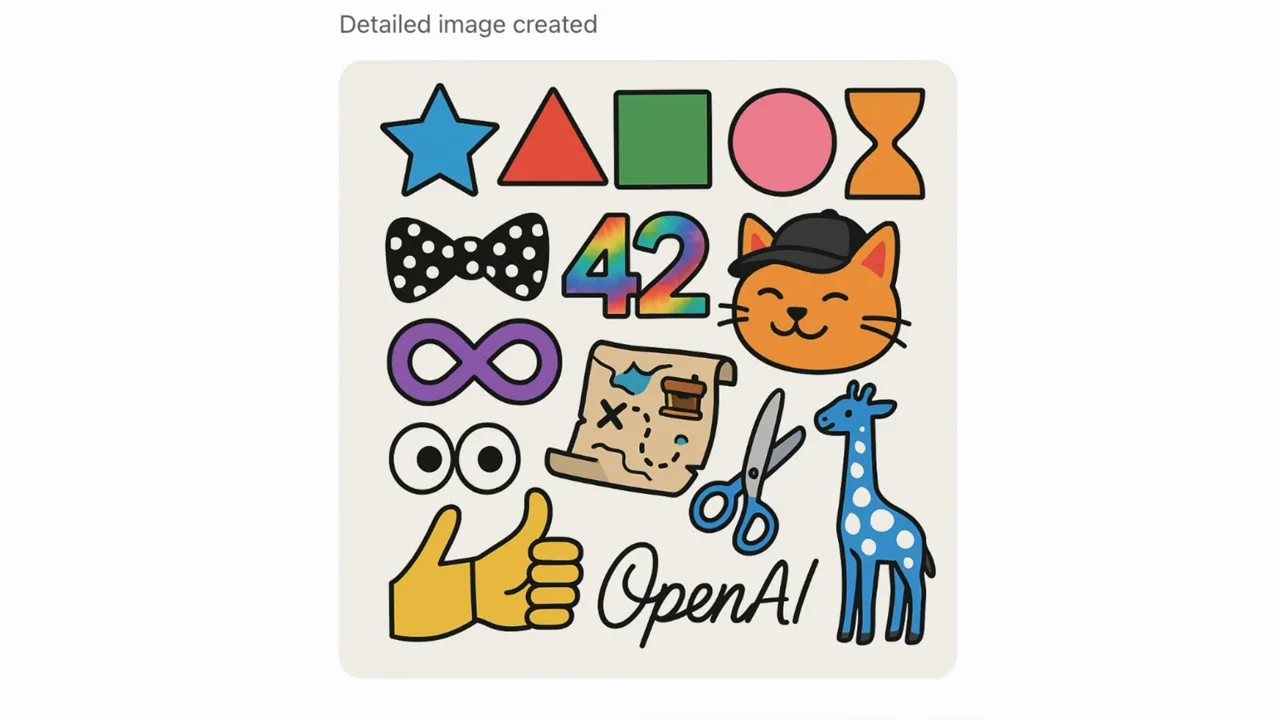
A long list of requested objects is enlarged before a single illustrated grid, with presenter and filmed-laptop inserts around the result.
Useful to borrow
Give a complex input a readable close-up, then hold one output long enough to compare it.
Do not infer
Do not infer that every constraint was satisfied without checking each one; the menus shown are historical interface states.
7 shot groups.
Read across from the observed content to its treatment and possible adaptation. Enlarge the frame for detail.
Approximate study intervals; horizontal scrolling reveals all columns on small screens.
| Moment / source | Reference frame | What is on screen | Framing / edit | Useful adaptation |
|---|---|---|---|---|
| Shot group 01 ≈ 00:00–00:12 Title / identityWatch from here ↗ | Sample 00:08.000 | Directions topic A couch setup leads into the detailed-directions title. | Topic typography over an established human setting. | State the constraint being explored. |
| Shot group 02 ≈ 00:12–00:32 App / browser screenWatch from here ↗ | Sample 00:20.000 | Setup menu Presenter and laptop inserts lead to a visible model menu. | Human context with a brief interface insert. | Keep setup secondary to the actual example. |
| Shot group 03 ≈ 00:32–00:48 App / browser screenWatch from here ↗ | Sample 00:40.000 | Constraint list The composer displays a long numbered set of requested shapes, objects, and text. | Extreme input crop. | Make the complexity of the request visible. |
| Shot group 04 ≈ 00:48–00:56 People / environmentWatch from here ↗ | Sample 00:52.000 | Presenter bridge The film returns to the seated presenter. | Human pause before the output. | Treat this as an editorial bridge, not proof of processing time. |
| Shot group 05 ≈ 00:56–01:00 Isolated outputWatch from here ↗ | Sample 00:56.000 | Illustrated grid A grid presents many requested objects together. | Single isolated output. | Allow a direct input-to-output comparison. |
| Shot group 06 ≈ 01:00–01:28 People / environmentWatch from here ↗ | Sample 01:08.000 | Discussion and laptop Presenter shots include a filmed laptop showing another result at smaller scale. | Human-led discussion with physical-screen context. | Avoid counting unreadable background content as a detailed UI workflow. |
| Shot group 07 ≈ 01:28–01:30 Title / identityWatch from here ↗ | Sample 01:28.000 | End mark A simple brand ending closes the film. | White closing card. | Keep the outro short. |