Presenter demo / 02:17 / Published 2026-04-21
Multilingual & Text Rendering with ChatGPT Images 2.0
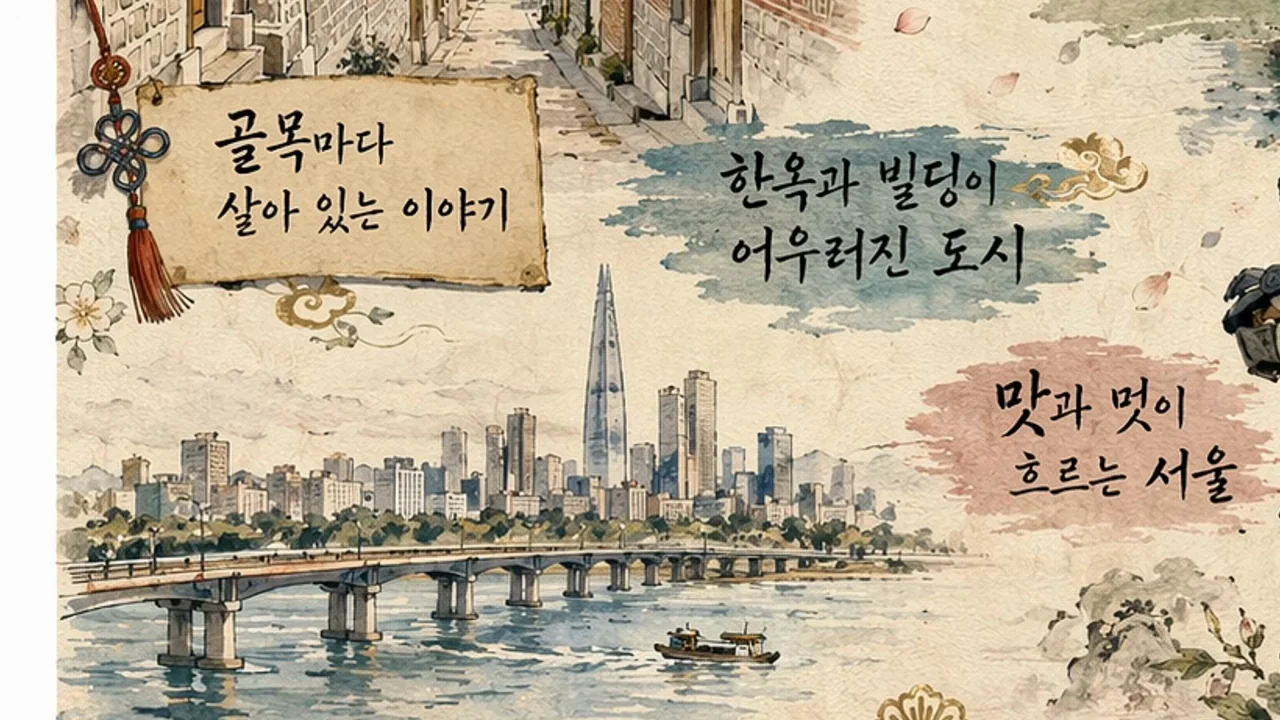
Travel-poster examples are shown first as complete compositions and then as close text details, with people reacting between outputs.
Useful to borrow
Use a repeatable whole-poster/detail pattern across languages.
Do not infer
Visual text presence does not validate translation, grammar, geography, or factual accuracy.
8 shot groups.
Read across from the observed content to its treatment and possible adaptation. Enlarge the frame for detail.
Approximate study intervals; horizontal scrolling reveals all columns on small screens.
| Moment / source | Reference frame | What is on screen | Framing / edit | Useful adaptation |
|---|---|---|---|---|
| Shot group 01 ≈ 00:00–00:30 People / environmentWatch from here ↗ | Sample 00:16.000 | Interview and production detail Production equipment, slate, and presenter coverage open the film. | Grouped behind-the-scenes framing. | Give the demonstration a human context. |
| Shot group 02 ≈ 00:30–00:46 Isolated outputWatch from here ↗ | Sample 00:44.000 | First illustrated poster Laptop input and a loading tile precede a landscape poster with text. | Input-to-output reveal. | Let the finished composition be seen whole. |
| Shot group 03 ≈ 00:46–01:02 Isolated outputWatch from here ↗ | Sample 01:00.000 | Second poster detail Another prompt leads to a tall poster and its text crop. | Whole-to-detail repetition. | Use the same comparison grammar. |
| Shot group 04 ≈ 01:02–01:16 Isolated outputWatch from here ↗ | Sample 01:12.000 | Neon city poster A dark city poster is followed by a tight text region. | Strong visual contrast with the earlier paper-like art. | Show a distinct style without changing the presentation rules. |
| Shot group 05 ≈ 01:16–01:44 Isolated outputWatch from here ↗ | Sample 01:28.000 | Further scripts and collaboration Two people examine the laptop between illustrated posters. | Human reaction and output coverage grouped together. | Do not mistake a reaction shot for linguistic validation. |
| Shot group 06 ≈ 01:44–02:02 App / browser screenWatch from here ↗ | Sample 01:52.000 | Document-based request A laptop shows an attached document and a new prompt. | Physical screen close-up. | Expose the source material. |
| Shot group 07 ≈ 02:02–02:16 Isolated outputWatch from here ↗ | Sample 02:04.000 | Text-heavy page A dense page is shown directly, then on the presenter's laptop. | Digital-to-physical continuity. | Keep enough resolution for meaningful inspection. |
| Shot group 08 ≈ 02:16–02:17 Title / identityWatch from here ↗ | Sample 02:16.000 | Identity ending The mark appears on white. | Simple reset. | End cleanly. |