Output montage / 01:49 / Published 2026-04-21
This is ChatGPT Images 2.0
A materially rich output film: words appear on physical-looking surfaces, then museum, print, diagram, comic, editorial, and photo examples change rapidly. Device mockups show imagery, not a verified OpenAI app workflow in the inspected samples.
Useful to borrow
Keep a conceptual thread through varied formats. Show a useful artifact at its natural scale, and isolate one detail before returning to the whole.
Do not infer
This is not evidence for an app-screen animation recipe. Its dense result montage needs much slower adaptation beneath the user's narration.
Look closer
- Let material cuts carry a sentence · 00:00–00:04
- Swap language while preserving the poster scaffold · 00:54–00:58
- Interrupt the montage, then return with a repeated name · 01:41–01:45
16 shot groups.
Read across from the observed content to its treatment and possible adaptation. Enlarge the frame for detail.
Approximate study intervals; horizontal scrolling reveals all columns on small screens.
| Moment / source | Reference frame | What is on screen | Framing / edit | Useful adaptation |
|---|---|---|---|---|
| Shot group 01 ≈ 00:00–00:07 Output montageWatch from here ↗ | Sample 00:04.000 | Material typography Words and identity appear on changing textured and physical-looking surfaces. | Rapid texture and lettering changes; dense samples inspected. | A material title can work when it belongs to the presentation's identity. |
| Shot group 02 ≈ 00:07–00:19 Output montageWatch from here ↗ | Sample 00:12.000 | Museum / print imagery Photo stacks, a museum leaflet, and exhibition scenes create a visual premise. | Print-like borders and perspective alternate with full scenes. | Use one coherent visual world instead of random stock imagery. |
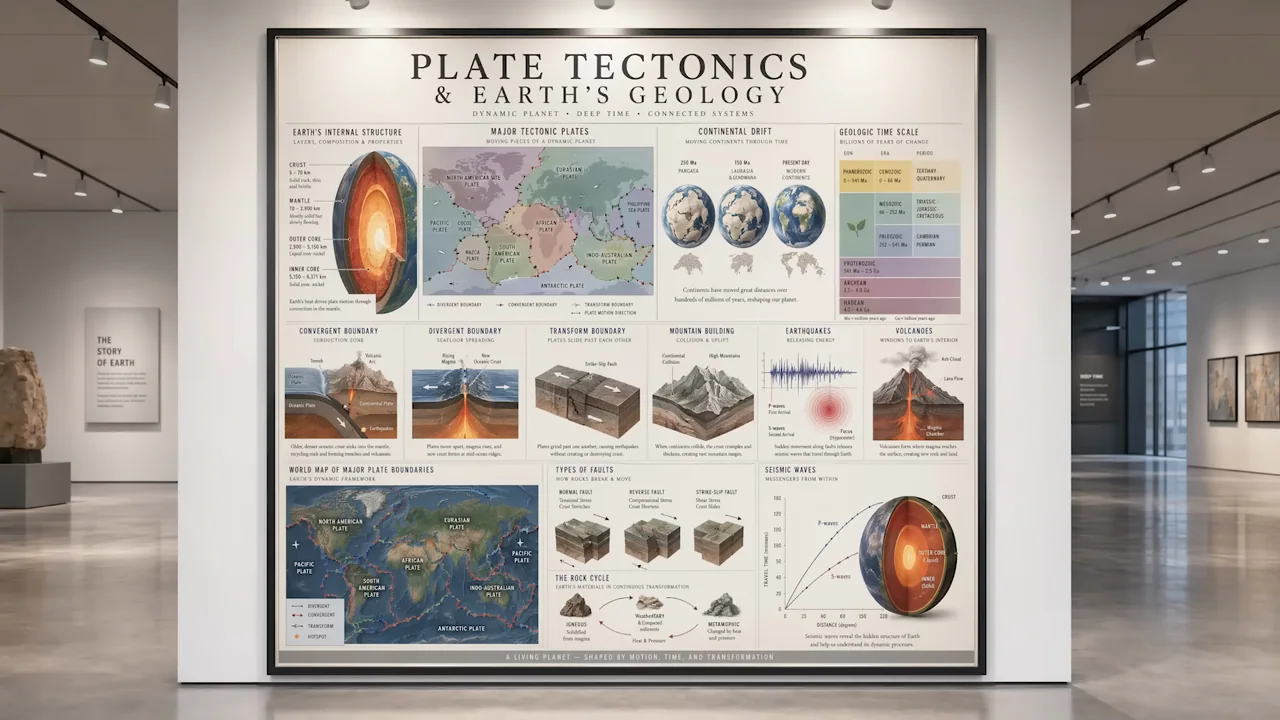
| Shot group 03 ≈ 00:19–00:24 Output montageWatch from here ↗ | Sample 00:22.000 | Diagram / notes A collage transitions into technical drawing pages. | Cut between arranged paper artifacts. | A diagram can make an abstract capability tangible. |
| Shot group 04 ≈ 00:24–00:28 Isolated outputWatch from here ↗ | Sample 00:26.000 | Infographic / chart Educational diagrams and a data chart fill the image. | Large output-only framing. | Treat the graphic as a result, not as application UI. |
| Shot group 05 ≈ 00:28–00:34 Output montageWatch from here ↗ | Sample 00:30.000 | Print / comic Clothing graphics, comic pages, and people imagery appear. | Cross-format result montage. | Keep format changes tied to a spoken point. |
| Shot group 06 ≈ 00:34–00:41 Output montageWatch from here ↗ | Sample 00:38.000 | Botanical / editorial Flower close-ups, notes, a laptop-displayed page, and botanical posters follow. | Detail-to-layout contrasts; laptop imagery lacks a demonstrated app workflow. | Do not infer interactive behavior from a device mockup. |
| Shot group 07 ≈ 00:41–00:48 Output montageWatch from here ↗ | Sample 00:44.000 | Educational layouts Scrapbook, migration map, and forest infographic examples vary the format. | Full compositions with dense printed information. | Choose one layout and hold it if the audience must read. |
| Shot group 08 ≈ 00:48–00:54 Isolated outputWatch from here ↗ | Sample 00:52.000 | Technical drawing Notebook geometry and aircraft studies are shown. | Paper textures and close detail. | Use detail crops to reveal craft in a result. |
| Shot group 09 ≈ 00:54–01:00 Output montageWatch from here ↗ | Sample 00:56.000 | Multilingual print Poster text changes language before menu examples. | Repeated layout makes the language variation legible. | Change one variable at a time in a comparison. |
| Shot group 10 ≈ 01:00–01:06 Isolated outputWatch from here ↗ | Sample 01:04.000 | Comic panels A full comic page leads to individual panel crops. | Whole-to-detail output framing. | Establish a composition before moving inside it. |
| Shot group 11 ≈ 01:06–01:12 Output montageWatch from here ↗ | Sample 01:10.000 | Editorial / planning Magazine and renovation-plan layouts show different document outputs. | Cover, spread, and plan as separate visual beats. | Use a finished artifact to close a feature explanation. |
| Shot group 12 ≈ 01:12–01:21 Output montageWatch from here ↗ | Sample 01:16.000 | Illustrated story Manga panels, a rendered scene, and a phone image extend one story. | Related characters carry across formats. | Continuity makes a format montage easier to follow. |
| Shot group 13 ≈ 01:21–01:28 Output montageWatch from here ↗ | Sample 01:24.000 | Book / material detail A book image becomes a close material study and another physical composition. | Scale changes around one visual subject. | Use a single purposeful detail reveal. |
| Shot group 14 ≈ 01:28–01:41 Output montageWatch from here ↗ | Sample 01:36.000 | Gallery / memory imagery Exhibitions, manuscripts, albums, and photo stacks form a fast closing run. | Many cuts; this row groups a montage, not a single shot. | Do not copy this density into an information-heavy segment. |
| Shot group 15 ≈ 01:41–01:47 Output montageWatch from here ↗ | Sample 01:44.000 | Material end cards Product identity reappears in several graphic formats. | Fast typography and texture sequence. | If used, keep end-card styling original. |
| Shot group 16 ≈ 01:47–01:49 Title / identityWatch from here ↗ | Sample 01:48.000 | End card The source mark resolves on white. | Static visual finish. | Provide an unmistakable end to the shared-screen presentation. |