Presenter demo / 01:26 / Published 2026-08-24
Make information visual with ChatGPT
A meeting summary becomes a structured visual, a calendar view, and actionable follow-up cards. The film shows a different representation rather than merely restyling text.
Useful to borrow
Use information hierarchy to make a dense source understandable. Show a representation change and then one action launched from the result.
Do not infer
The calendar and follow-up cards are generated task output inside the conversation, not proof of native calendar integration. The export menu is visible, but this clip does not show a completed publication.
Look closer
- Change the representation to answer a different question · 00:44–00:49
12 shot groups.
Read across from the observed content to its treatment and possible adaptation. Enlarge the frame for detail.
Approximate study intervals; horizontal scrolling reveals all columns on small screens.
| Moment / source | Reference frame | What is on screen | Framing / edit | Useful adaptation |
|---|---|---|---|---|
| Shot group 01 ≈ 00:00–00:04 People / environmentWatch from here ↗ | Sample 00:02.000 | Laptop topic opening A physical laptop shot introduces the visualization topic. | Close object view with a short title. | Use a concise entry before dense information. |
| Shot group 02 ≈ 00:04–00:32 People / environmentWatch from here ↗ | Sample 00:18.000 | Presenter explanation Wide and close presenter views establish the problem. | Extended human setup before screen evidence. | Let the talking head explain why the information needs restructuring. |
| Shot group 03 ≈ 00:32–00:38 App / browser screenWatch from here ↗ | Sample 00:34.000 | Visual meeting summary A conversation contains owners, decisions, and a color-coded summary. | Whole result view with a small presenter inset. | Group information by role before introducing more detail. |
| Shot group 04 ≈ 00:38–00:45 App / browser screenWatch from here ↗ | Sample 00:42.000 | Delivery timeline The visual scrolls through dated actions and unresolved decisions. | Vertical reading path within one structured result. | Make chronology and ownership visible together. |
| Shot group 05 ≈ 00:45–00:50 App / browser screenWatch from here ↗ | Sample 00:48.000 | Calendar representation A follow-up produces a month-grid view of the same planning material. | Representation change inside the conversation. | Choose a calendar when the story is about dates, not just appearance. |
| Shot group 06 ≈ 00:50–00:56 People / environmentWatch from here ↗ | Sample 00:52.000 | Presenter bridge The speaker returns before showing actionable follow-ups. | Wide desk shot. | Use narration to connect the new representation to its purpose. |
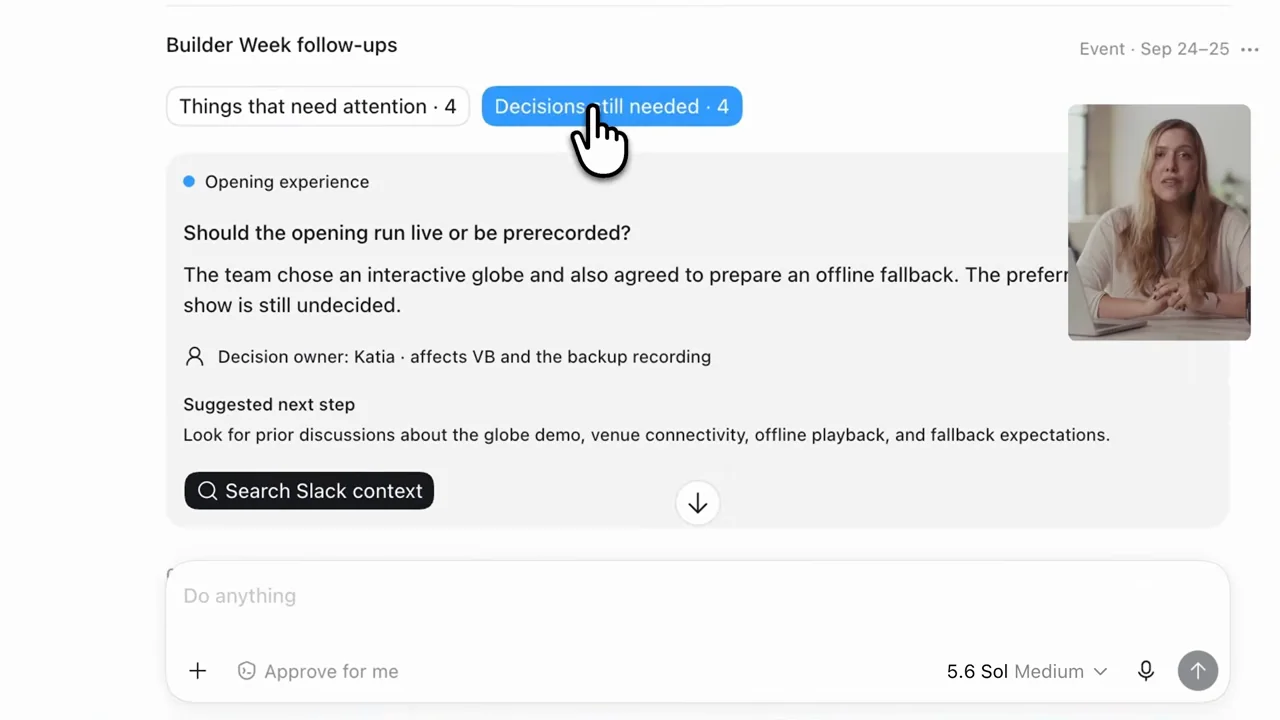
| Shot group 07 ≈ 00:56–00:58 App / browser screenWatch from here ↗ | Sample 00:56.000 | Decision follow-up card A decision tab exposes a specific unresolved question and next step. | Close card framing. | Turn a summary into one concrete next action. |
| Shot group 08 ≈ 00:58–01:02 App / browser screenWatch from here ↗ | Sample 01:00.000 | Context-search handoff The card's search action becomes a contextual request in the composer. | Card and generated request remain together. | Show the action's scope before it runs. |
| Shot group 09 ≈ 01:02–01:04 People / environmentWatch from here ↗ | Sample 01:02.000 | Presenter insert A brief presenter shot separates action from export controls. | Short human bridge. | Keep transitions purposeful rather than decorative. |
| Shot group 10 ≈ 01:04–01:10 App / browser screenWatch from here ↗ | Sample 01:06.000 | Visual export menu A menu offers image copying and publishing to a site. | Close crop on the real output controls. | Describe the available action without claiming an unseen completed export. |
| Shot group 11 ≈ 01:10–01:24 People / environmentWatch from here ↗ | Sample 01:18.000 | Presenter conclusion The speaker closes in wide and close views. | Human ending after the final control detail. | Leave the conclusion to the supplied recording. |
| Shot group 12 ≈ 01:24–01:26 Title / identityWatch from here ↗ | Sample 01:24.000 | End identity A white identity ending closes the film. | Clean final reset. | Use an original presentation ending. |