Screen tutorial / 01:51 / Published 2026-05-22
Create and edit presentations faster in PowerPoint
A blank PowerPoint deck becomes a populated presentation while the assistant remains in a right-hand pane.
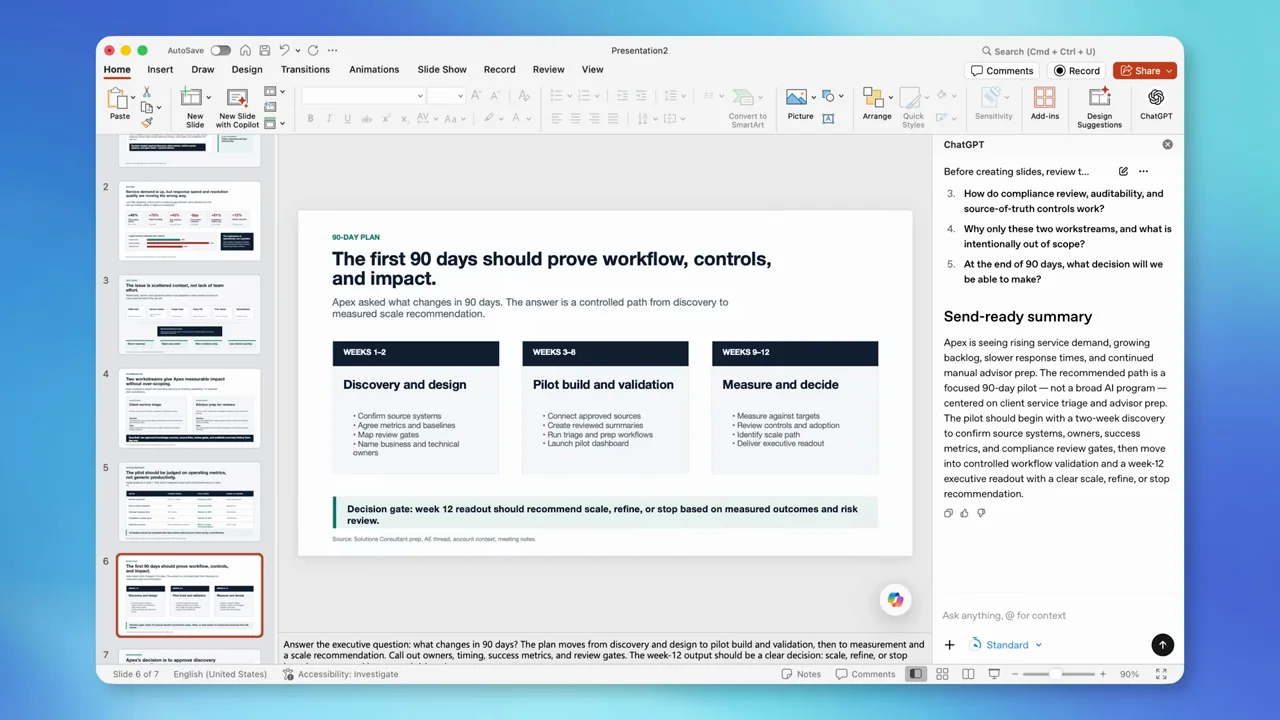
Useful to borrow
Keep the native slide thumbnails and editor visible as evidence of an editable artifact.
Do not infer
The long processing stretch is not a pacing template for a short all-hands segment.
Look closer
- Keep the workspace fixed while the artifact changes · 01:10–01:17
6 shot groups.
Read across from the observed content to its treatment and possible adaptation. Enlarge the frame for detail.
Approximate study intervals; horizontal scrolling reveals all columns on small screens.
| Moment / source | Reference frame | What is on screen | Framing / edit | Useful adaptation |
|---|---|---|---|---|
| Shot group 01 ≈ 00:00–00:14 App / browser screenWatch from here ↗ | Sample 00:08.000 | Blank deck PowerPoint opens on an empty title slide. | Full application on a colored desktop. | Establish the starting state. |
| Shot group 02 ≈ 00:14–00:32 App / browser screenWatch from here ↗ | Sample 00:24.000 | Assistant and source file A sidebar opens and a file picker supplies source material. | Native modal over the editor. | Show what information the task actually uses. |
| Shot group 03 ≈ 00:32–01:10 App / browser screenWatch from here ↗ | Sample 00:48.000 | Drafting in the sidebar Text and recommendations accumulate beside the still-empty slide. | Fixed editor; one extended working beat. | Compress waiting honestly rather than padding the edit. |
| Shot group 04 ≈ 01:10–01:22 App / browser screenWatch from here ↗ | Sample 01:16.000 | Deck appears Slide thumbnails populate and a designed opening slide appears. | Result in the same application frame. | Make the first completed artifact a clear event. |
| Shot group 05 ≈ 01:22–01:38 App / browser screenWatch from here ↗ | Sample 01:28.000 | Interior-slide review Several content slides are selected from the thumbnail rail. | Repeated editor composition. | Prove the deck contains useful interior material. |
| Shot group 06 ≈ 01:38–01:51 App / browser screenWatch from here ↗ | Sample 01:44.000 | Return to opening slide The opening slide returns alongside a summary. | Matched framing before the film ends. | Close on a readable representative result. |