Product film / 01:59 / Published 2026-01-27
Introducing Prism, a free workspace for scientists to write and collaborate on research
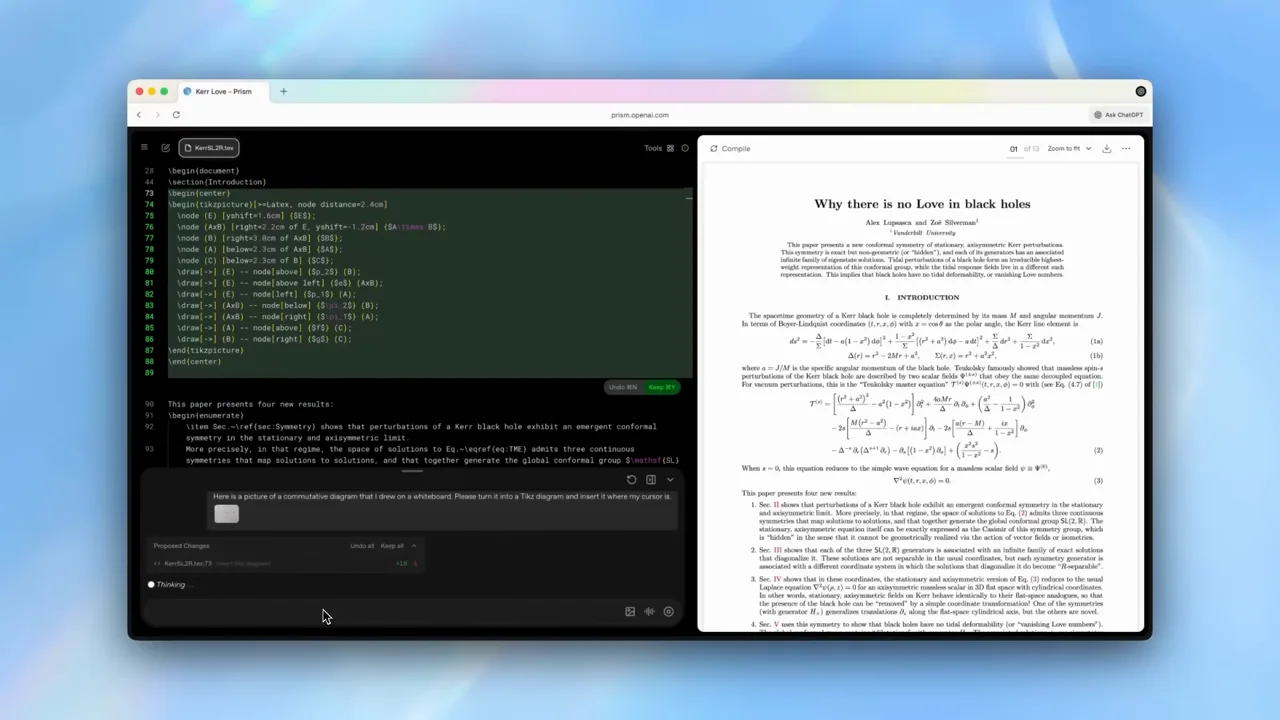
A dark writing workspace and white paper preview remain paired through edits, image input, references, and checking.
Useful to borrow
Use a persistent source/result split to explain technical document work.
Do not infer
Generated equations and citations still need domain review; visual polish is not correctness.
Look closer
- Finish the internal icon motion before naming the product · 00:00–00:06
- Pull back after submission to reveal the linked document · 00:43–00:48
- Let native change marks do the emphasis · 00:16–00:24
8 shot groups.
Read across from the observed content to its treatment and possible adaptation. Enlarge the frame for detail.
Approximate study intervals; horizontal scrolling reveals all columns on small screens.
| Moment / source | Reference frame | What is on screen | Framing / edit | Useful adaptation |
|---|---|---|---|---|
| Shot group 01 ≈ 00:00–00:06 Title / identityWatch from here ↗ | Sample 00:04.000 | Product introduction A short Prism title appears on white. | Minimal opening. | Name the workspace before entering it. |
| Shot group 02 ≈ 00:06–00:30 App / browser screenWatch from here ↗ | Sample 00:24.000 | Document and revision A dark editor sits beside a paper preview; colored edit blocks appear. | Whole workspace then source detail. | Keep changes visibly attached to the document. |
| Shot group 03 ≈ 00:30–00:58 App / browser screenWatch from here ↗ | Sample 00:48.000 | Image-to-document task A file picker supplies an image and the document preview changes. | Native input followed by split-view proof. | Show both the source and rendered result. |
| Shot group 04 ≈ 00:58–01:02 Title / identityWatch from here ↗ | Sample 01:00.000 | References chapter A statement introduces literature and references. | White chapter reset. | Separate editing from research. |
| Shot group 05 ≈ 01:02–01:34 App / browser screenWatch from here ↗ | Sample 01:20.000 | Reference workflow Requests and responses appear beside the paper. | Alternating conversation detail and whole preview. | Keep citation context when cropping. |
| Shot group 06 ≈ 01:34–01:38 Title / identityWatch from here ↗ | Sample 01:36.000 | Checking chapter A card names content checking. | Repeated chapter grammar. | Make verification a distinct step. |
| Shot group 07 ≈ 01:38–01:56 App / browser screenWatch from here ↗ | Sample 01:48.000 | Content check A prompt leads to analysis beside the full document. | Source and response remain paired. | Show the evidence behind a check. |
| Shot group 08 ≈ 01:56–01:59 Title / identityWatch from here ↗ | Sample 01:56.000 | Product identity The Prism icon and name close the piece. | Centered identity. | Use your own closing mark. |