Product film / 01:19 / Published 2026-02-10
Updates to deep research in ChatGPT
A focused research workflow: request, source controls, plan, follow-up, report, citations, export. Most of the film is restrained UI framing, with only two short text resets.
Useful to borrow
Show inputs and constraints before the result. Zoom or crop toward the current control, then return to the full report. Include the export or handoff state.
Do not infer
Do not copy tiny text at whole-window scale. The app's easing and the film's camera moves are different systems and have not been equated here.
Look closer
- Open the artifact before explaining its controls · 00:58–01:03
15 shot groups.
Read across from the observed content to its treatment and possible adaptation. Enlarge the frame for detail.
Approximate study intervals; horizontal scrolling reveals all columns on small screens.
| Moment / source | Reference frame | What is on screen | Framing / edit | Useful adaptation |
|---|---|---|---|---|
| Shot group 01 ≈ 00:00–00:03 Title / identityWatch from here ↗ | Sample 00:02.000 | Opening card A short research statement establishes the subject. | White type card. | Open with the audience's benefit, not a long agenda. |
| Shot group 02 ≈ 00:03–00:09 App / browser screenWatch from here ↗ | Sample 00:06.000 | Desktop shell The full application opens the research starting surface. | Window framed on a colored desktop. | Establish location before removing chrome from the crop. |
| Shot group 03 ≈ 00:09–00:17 App / browser screenWatch from here ↗ | Sample 00:14.000 | Research composer A comparison request is entered. | Centered composer grows more prominent. | Show enough of the request to explain the eventual result. |
| Shot group 04 ≈ 00:17–00:20 App / browser screenWatch from here ↗ | Sample 00:18.000 | Connected-app picker A source-app menu exposes connection choices. | Close menu view. | Keep the selected sources visible when they matter. |
| Shot group 05 ≈ 00:20–00:31 App / browser screenWatch from here ↗ | Sample 00:26.000 | Source controls A specific-sites dialog accumulates selected sources. | Stable modal composition; repeated additions. | A compact selection sequence is clearer than a long settings tour. |
| Shot group 06 ≈ 00:31–00:34 App / browser screenWatch from here ↗ | Sample 00:32.000 | Research composer The configured request is sent. | Composer crop with selected source count. | Retain evidence that the constraints were applied. |
| Shot group 07 ≈ 00:34–00:43 App / browser screenWatch from here ↗ | Sample 00:40.000 | Research plan A plan/checklist shows sources and work progressing. | Whole-window context before the detailed state. | Make the plan an observable product state. |
| Shot group 08 ≈ 00:43–00:53 App / browser screenWatch from here ↗ | Sample 00:48.000 | Research follow-up A close progress view leaves room for a follow-up request. | Crop combines activity and the composer below it. | Show that the user can steer the work. |
| Shot group 09 ≈ 00:53–00:57 Title / identityWatch from here ↗ | Sample 00:56.000 | Chapter card A report-viewing statement resets the scene. | Short white type card. | Mark the move from process to result. |
| Shot group 10 ≈ 00:57–01:01 App / browser screenWatch from here ↗ | Sample 01:00.000 | Research report The completed report opens into a multi-pane reading view. | Whole app; report gains its own navigation and source pane. | Reveal the result as a real product surface. |
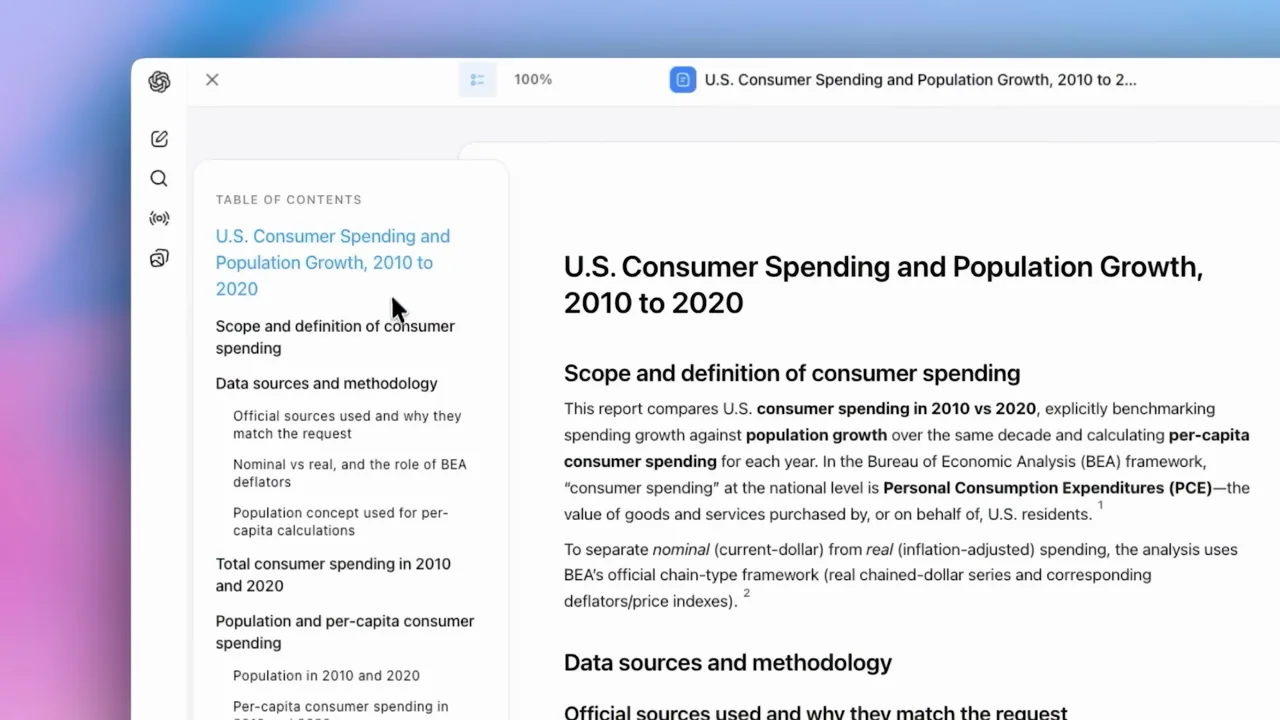
| Shot group 11 ≈ 01:01–01:05 App / browser screenWatch from here ↗ | Sample 01:02.000 | Report navigation The table of contents and report heading become the focus. | Closer left-and-center crop. | Show how the audience would navigate the artifact. |
| Shot group 12 ≈ 01:05–01:09 App / browser screenWatch from here ↗ | Sample 01:08.000 | Research report The report scrolls to denser tables and supporting text. | Wider multi-pane view. | Show structure and a representative detail, not every page. |
| Shot group 13 ≈ 01:09–01:13 App / browser screenWatch from here ↗ | Sample 01:10.000 | Citations / sources The source pane remains beside the result. | Right-side emphasis with report context retained. | Keep provenance adjacent to the claim. |
| Shot group 14 ≈ 01:13–01:15 App / browser screenWatch from here ↗ | Sample 01:14.000 | Export menu An export menu appears over the report. | Tight control and artifact crop. | End on a useful handoff, not another loading state. |
| Shot group 15 ≈ 01:15–01:19 Title / identityWatch from here ↗ | Sample 01:18.000 | End card A product wordmark and logo close the film. | White-field finish. | Reserve a calm final frame for the presenter to finish speaking. |