Screen tutorial / 01:12 / Published 2024-12-09
How to recut with Sora
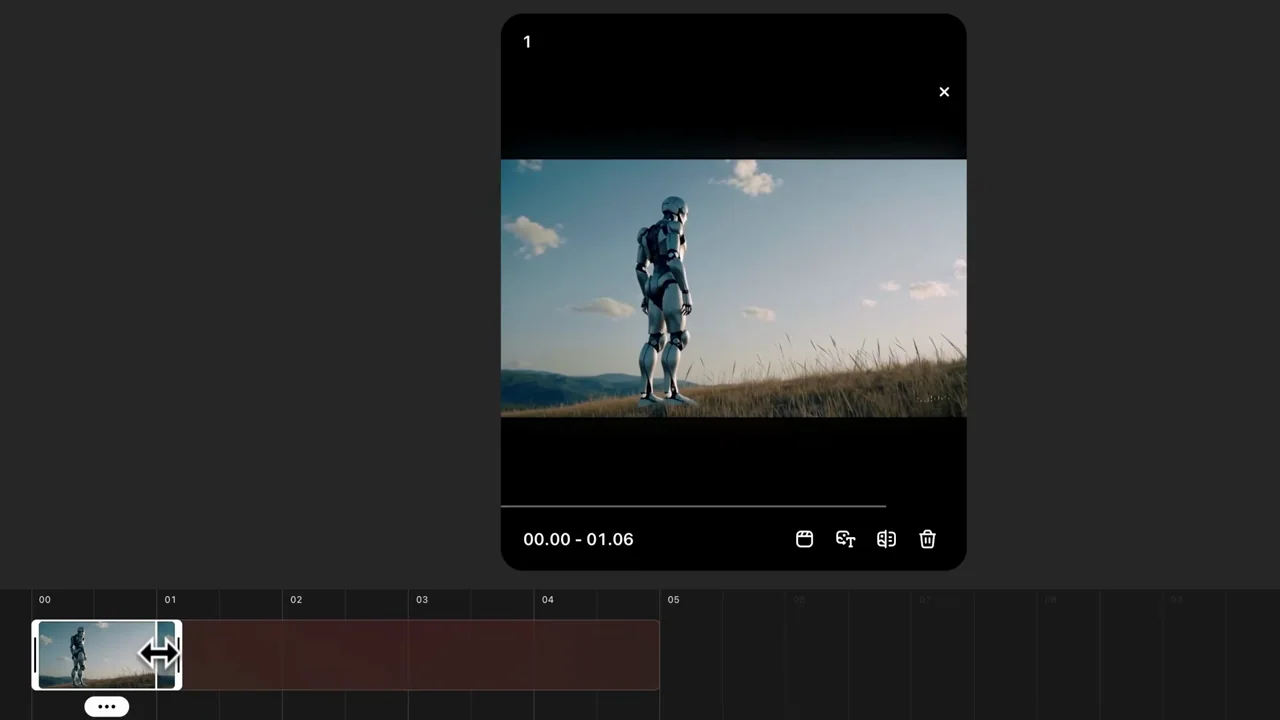
A robot clip moves from playback into a timeline, where its selected span is shortened before the resulting clip is played at larger scale.
Useful to borrow
Show the timeline changing before the output playback so the edit operation is understandable.
Do not infer
The edited tutorial is not an exact rendering-time measurement or a complete specification of the historical recut tool.
Look closer
6 shot groups.
Read across from the observed content to its treatment and possible adaptation. Enlarge the frame for detail.
Approximate study intervals; horizontal scrolling reveals all columns on small screens.
| Moment / source | Reference frame | What is on screen | Framing / edit | Useful adaptation |
|---|---|---|---|---|
| Shot group 01 ≈ 00:00–00:16 App / browser screenWatch from here ↗ | Sample 00:08.000 | Source playback A robot on a hillside plays in a dark viewer over the desktop. | Whole-window establishing view. | Give the original clip a readable starting context. |
| Shot group 02 ≈ 00:16–00:28 App / browser screenWatch from here ↗ | Sample 00:20.000 | Source detail Closer robot footage returns to a wider view before the editor opens. | Subject detail and context. | Make the chosen material recognizable. |
| Shot group 03 ≈ 00:28–00:40 App / browser screenWatch from here ↗ | Sample 00:36.000 | Timeline editor A preview sits above a horizontal filmstrip and controls. | Whole-editor reveal. | Show the relationship between preview and timeline. |
| Shot group 04 ≈ 00:40–00:52 App / browser screenWatch from here ↗ | Sample 00:44.000 | Shortened selection The selected filmstrip span becomes much shorter while the preview remains above it. | Stable layout around a changing selection. | Make the actual edit operation visible. |
| Shot group 05 ≈ 00:52–01:00 App / browser screenWatch from here ↗ | Sample 00:56.000 | Submit and return A close lower-control view gives way to the resulting clip in its viewer. | Control emphasis followed by output context. | Connect the action to the result. |
| Shot group 06 ≈ 01:00–01:12 Isolated outputWatch from here ↗ | Sample 01:08.000 | Large result playback The robot footage plays at a larger scale without the full editor. | Clean output hold. | Let the audience inspect the edited material. |