Screen tutorial / 02:15 / Published 2024-12-09
How to storyboard with Sora
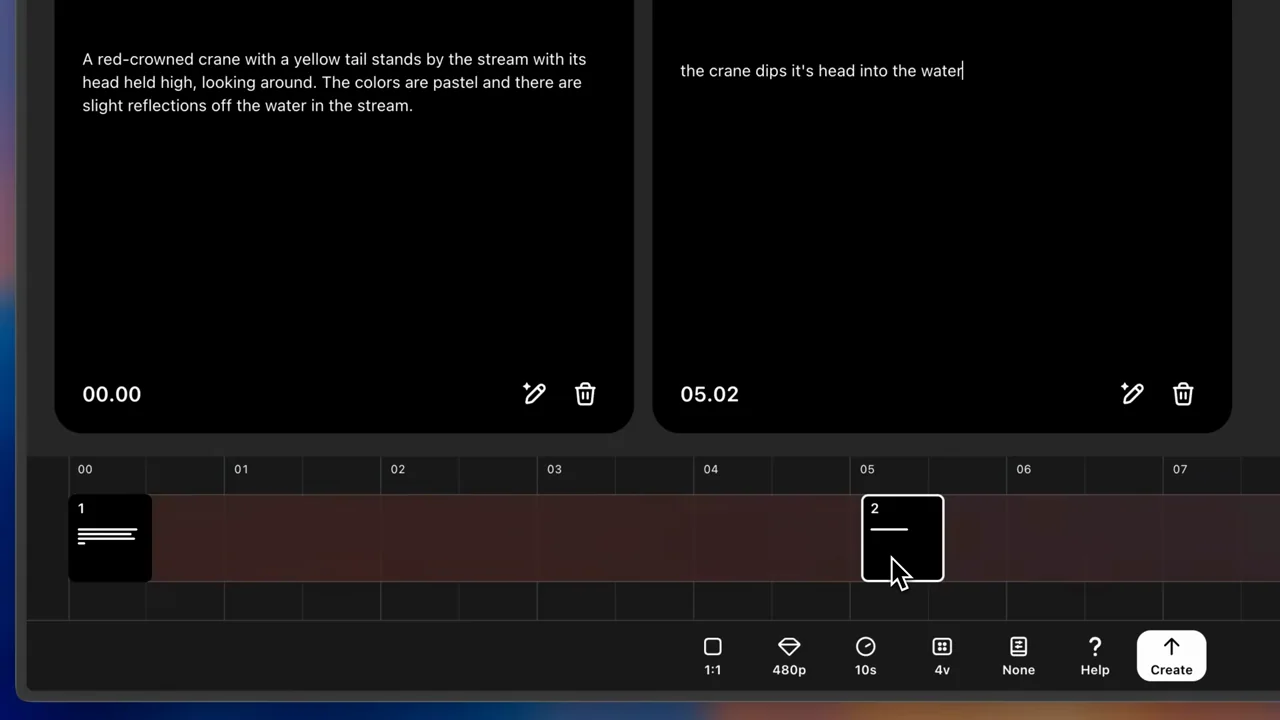
A gallery leads to storyboard cards and timeline positions, followed by a crane clip and a return path to the storyboard.
Useful to borrow
Show text cards and their timeline positions together before revealing the generated sequence.
Do not infer
The long editing demonstration contains many similar holds; do not count each sampled frame as a separate creative technique.
Look closer
- A timeline insertion makes room for a second card · 00:48–00:54
8 shot groups.
Read across from the observed content to its treatment and possible adaptation. Enlarge the frame for detail.
Approximate study intervals; horizontal scrolling reveals all columns on small screens.
| Moment / source | Reference frame | What is on screen | Framing / edit | Useful adaptation |
|---|---|---|---|---|
| Shot group 01 ≈ 00:00–00:16 App / browser screenWatch from here ↗ | Sample 00:12.000 | Gallery and entry control A gallery fills the window before the storyboard control is enlarged. | Whole product into a specific entry point. | Make the workflow discoverable. |
| Shot group 02 ≈ 00:16–00:36 App / browser screenWatch from here ↗ | Sample 00:28.000 | Empty storyboard A blank card appears over a timeline; duration controls are inspected. | Editor overview and lower-control crop. | Explain the spatial relationship between cards and time. |
| Shot group 03 ≈ 00:36–00:52 App / browser screenWatch from here ↗ | Sample 00:44.000 | First scene description Text describing a crane near water fills the first card. | Readable card detail. | Show the visual instruction before the output. |
| Shot group 04 ≈ 00:52–01:04 App / browser screenWatch from here ↗ | Sample 01:00.000 | Second card A second text card appears beside the first at a later time. | Side-by-side scene instructions. | Make the intended progression visible. |
| Shot group 05 ≈ 01:04–01:28 App / browser screenWatch from here ↗ | Sample 01:16.000 | Timeline positioning The cards stay visible while their timeline positions are adjusted. | Stable cards over changing timeline markers. | Demonstrate timing as a visible editing decision. |
| Shot group 06 ≈ 01:28–01:48 App / browser screenWatch from here ↗ | Sample 01:40.000 | Final setup The editor returns to a wider view and the create control is approached. | Whole-workspace check before generation. | Show the assembled plan before submission. |
| Shot group 07 ≈ 01:48–02:04 App / browser screenWatch from here ↗ | Sample 01:56.000 | Generated scene and card reference A crane clip plays; a source description can be seen over the playback. | Output plus originating instruction. | Connect the generated scene to its storyboard. |
| Shot group 08 ≈ 02:04–02:15 App / browser screenWatch from here ↗ | Sample 02:08.000 | Return-to-edit affordance A close lower toolbar exposes the route back to revising the storyboard. | Native control detail under continuing playback. | Close with a real iteration path. |