Presenter demo / 01:50 / Published 2026-08-28
Talk to ChatGPT Work
A voice orb remains over native Notes and slide content while the presenter alternates with screen capture. Long listening holds contrast with short output reveals.
Useful to borrow
A persistent control can maintain continuity across applications. The slide sequence demonstrates how to keep the output visible while interaction continues.
Do not infer
The long orb holds are largely voice-led and are not a model for a silent demo reel. This visual study does not infer spoken requests, listening accuracy, or response latency.
16 shot groups.
Read across from the observed content to its treatment and possible adaptation. Enlarge the frame for detail.
Approximate study intervals; horizontal scrolling reveals all columns on small screens.
| Moment / source | Reference frame | What is on screen | Framing / edit | Useful adaptation |
|---|---|---|---|---|
| Shot group 01 ≈ 00:00–00:04 People / environmentWatch from here ↗ | Sample 00:02.000 | Overhead title opening An overhead room shot carries the voice-work topic title. | Unusual establishing angle before the desk view. | A distinct opening angle can separate chapters without extra graphics. |
| Shot group 02 ≈ 00:04–00:06 People / environmentWatch from here ↗ | Sample 00:04.000 | Presenter introduction The presenter appears at the laptop. | Wide desk shot. | Keep the introduction in the talking-head video. |
| Shot group 03 ≈ 00:06–00:08 App / browser screenWatch from here ↗ | Sample 00:06.000 | Voice-over-desktop teaser A voice orb and status pill overlay Notes with a browser behind it. | Brief task-context preview. | Preview the interaction environment before explaining it. |
| Shot group 04 ≈ 00:08–00:20 People / environmentWatch from here ↗ | Sample 00:14.000 | Presenter explanation Wide and close speaker views carry the setup. | Alternating human scales. | Avoid filling explanatory time with meaningless UI movement. |
| Shot group 05 ≈ 00:20–00:30 App / browser screenWatch from here ↗ | Sample 00:26.000 | Notes and voice status The Notes list remains visible beneath the voice orb and a status pill. | Whole desktop tightens toward the native app. | Keep the relevant task list legible beside the interaction state. |
| Shot group 06 ≈ 00:30–00:38 App / browser screenWatch from here ↗ | Sample 00:34.000 | Close voice hold The orb remains over the Notes window without a large layout change. | Long stable close framing. | Use a hold only when the narration needs uninterrupted attention. |
| Shot group 07 ≈ 00:38–01:04 App / browser screenWatch from here ↗ | Sample 00:50.000 | Wide listening hold The view returns to the wider Notes-and-browser composition. | Extended stable desktop view with small state changes. | Treat this as one voice-led beat, not many screen examples. |
| Shot group 08 ≈ 01:04–01:10 People / environmentWatch from here ↗ | Sample 01:08.000 | Presenter bridge The speaker returns in wide and close views. | Human pause between task states. | Use the talking head for material with little visual change. |
| Shot group 09 ≈ 01:10–01:16 App / browser screenWatch from here ↗ | Sample 01:14.000 | Notes follow-up state The desktop returns with the voice status over the task list. | Short wider-to-closer revisit. | Re-establish the source context before a new output. |
| Shot group 10 ≈ 01:16–01:22 People / environmentWatch from here ↗ | Sample 01:20.000 | Output introduction The presenter introduces the next result. | Desk view then close-up. | Make the spoken transition correspond to the upcoming artifact. |
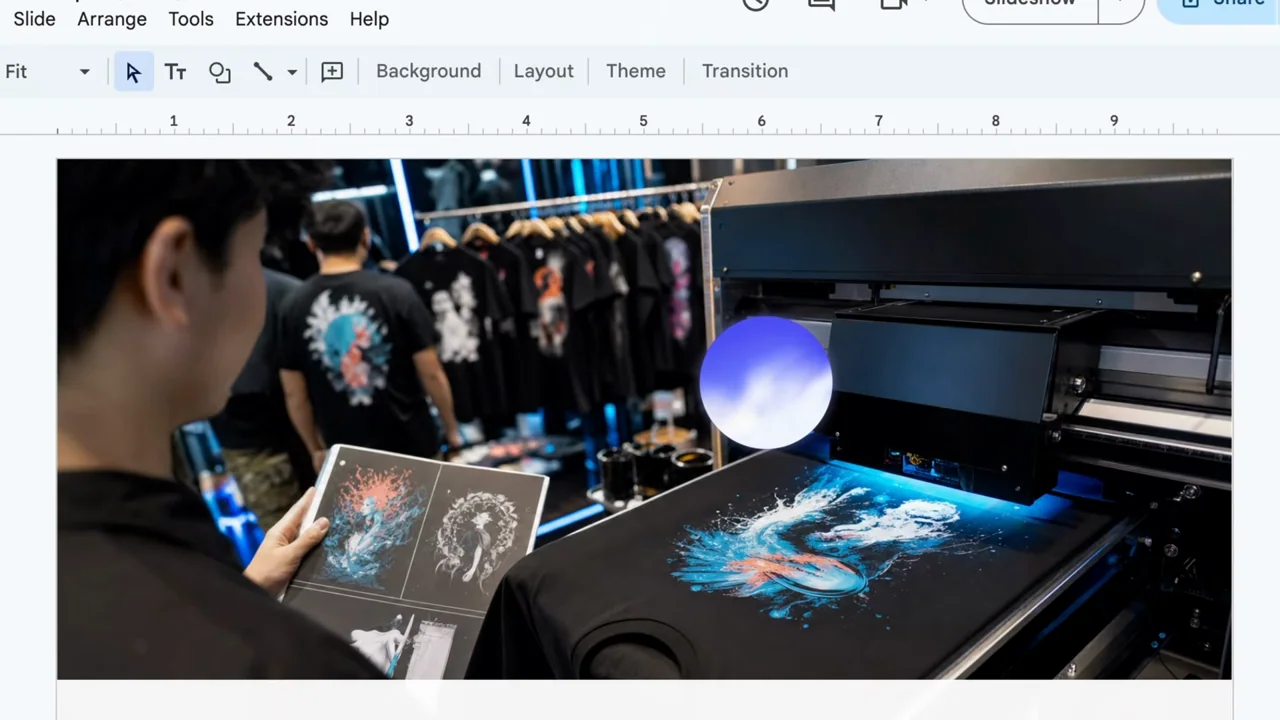
| Shot group 11 ≈ 01:22–01:28 App / browser screenWatch from here ↗ | Sample 01:26.000 | Concept-slide review Several concept slides appear in a slide editor with the voice orb overlaid. | Matched slide framing across different visual ideas. | Keep the output visible while demonstrating continued interaction. |
| Shot group 12 ≈ 01:28–01:32 App / browser screenWatch from here ↗ | Sample 01:30.000 | Final concept slide A final concept image holds inside the slide editor. | Longer result hold after the short page sequence. | Give the final example more reading time than the transitions. |
| Shot group 13 ≈ 01:32–01:36 People / environmentWatch from here ↗ | Sample 01:34.000 | Presenter bridge A close presenter shot separates the output from setup controls. | Brief human explanation. | Use a content transition for the silent companion. |
| Shot group 14 ≈ 01:36–01:40 App / browser screenWatch from here ↗ | Sample 01:38.000 | Remote pairing page The desktop navigates to a remote connection page with a QR code. | Full app setup view. | Keep setup separate from the demonstrated output; never reuse the source code. |
| Shot group 15 ≈ 01:40–01:48 People / environmentWatch from here ↗ | Sample 01:44.000 | Presenter closing The speaker checks a phone and closes the explanation. | Wide and close human finish. | Keep the closing performance in the supplied recording. |
| Shot group 16 ≈ 01:48–01:50 Title / identityWatch from here ↗ | Sample 01:50.000 | End identity The film resolves to a white identity card. | Clean visual finish. | Use the presentation's own ending. |