Product film / 00:39 / Published 2026-08-24
You can just use your voice | ChatGPT Work
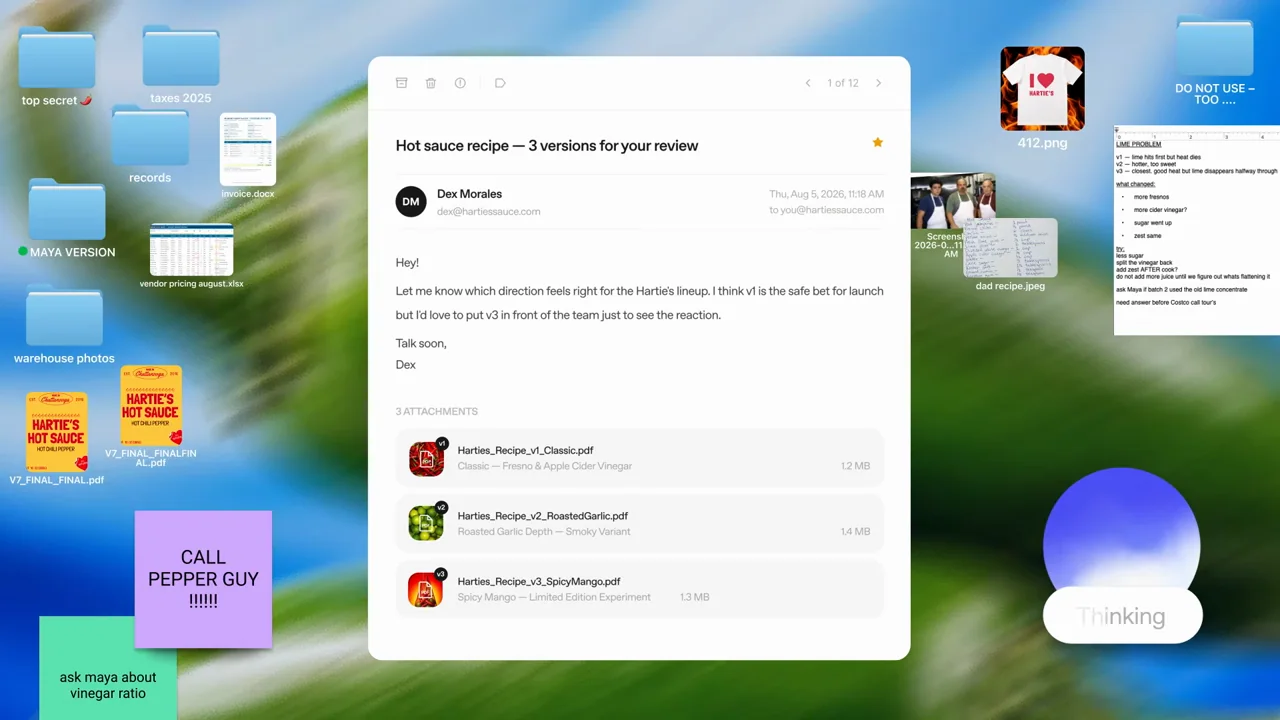
A short voice story keeps a transcription bubble and orb readable, reduces the voice UI into a floating control, shows the source material on the desktop, and returns to a concise answer.
Useful to borrow
Keep a persistent visual anchor while changing context. Show the material used for the answer, then give the answer a calm frame.
Do not infer
The desktop is intentionally busy. Use a clean fixture desktop for your product demos, and keep this presentation silent even when demonstrating a voice feature.
Look closer
- Carry the action from a toggle to a quiet activity dot · 00:03–00:07
- Inline object substitutions become a perimeter collage · 00:33–00:37
- Keep one object through the context change · 00:18–00:24
7 shot groups.
Read across from the observed content to its treatment and possible adaptation. Enlarge the frame for detail.
Approximate study intervals; horizontal scrolling reveals all columns on small screens.
| Moment / source | Reference frame | What is on screen | Framing / edit | Useful adaptation |
|---|---|---|---|---|
| Shot group 01 ≈ 00:00–00:03 Title / identityWatch from here ↗ | Sample 00:02.000 | Opening sequence A source mark leads into a short colored-word statement. | Sparse white typography. | Keep the opening concise. |
| Shot group 02 ≈ 00:03–00:06 App / browser screenWatch from here ↗ | Sample 00:04.000 | Mode switch A compact segmented control selects the work mode. | Isolated control; brief transition into the voice state. | Show the relevant mode without a long navigation sequence. |
| Shot group 03 ≈ 00:06–00:19 App / browser screenWatch from here ↗ | Sample 00:14.000 | Voice transcription The transcript grows above a colored voice orb. | Stable two-part composition on white. | A readable transcript can carry a silent voice-feature demo. |
| Shot group 04 ≈ 00:19–00:23 App / browser screenWatch from here ↗ | Sample 00:22.000 | Floating voice control The orb becomes a small floating control while status text changes. | Persistent object shrinks and relocates. | Preserve an anchor through a layout transition. |
| Shot group 05 ≈ 00:23–00:27 App / browser screenWatch from here ↗ | Sample 00:26.000 | Desktop source material An email and recipe document appear with the small voice control retained. | Whole desktop context; source content is the focus. | Show what the assistant is using, with safe fixture data. |
| Shot group 06 ≈ 00:27–00:33 App / browser screenWatch from here ↗ | Sample 00:30.000 | Voice answer A short comparison answer returns above the larger orb. | Calm response framing. | Let the outcome register before the close. |
| Shot group 07 ≈ 00:33–00:39 Title / identityWatch from here ↗ | Sample 00:36.000 | End sequence A closing phrase resolves into a small collage and identity. | Sparse type and related artifact fragments. | Use a recognizable final state while the talking head winds down. |