Screen tutorial / 02:17 / Published 2026-05-22
Workspace agents in ChatGPT: Admin and builder controls
A screen-led tutorial moves from an agent definition to Slack output and then increasingly specific administrative controls.
Useful to borrow
Show the user-facing result before explaining how administrators constrain it.
Do not infer
Tiny policy text needs a detail crop; a toggle alone does not prove enforcement.
6 shot groups.
Read across from the observed content to its treatment and possible adaptation. Enlarge the frame for detail.
Approximate study intervals; horizontal scrolling reveals all columns on small screens.
| Moment / source | Reference frame | What is on screen | Framing / edit | Useful adaptation |
|---|---|---|---|---|
| Shot group 01 ≈ 00:00–00:22 App / browser screenWatch from here ↗ | Sample 00:12.000 | Agent definition A Product Feedback Intel page shows instructions and connected tools. | Wide workspace with caption overlay. | Establish the configured object. |
| Shot group 02 ≈ 00:22–00:46 App / browser screenWatch from here ↗ | Sample 00:36.000 | Slack result and thread A channel post opens into a threaded discussion. | Application switch followed by split conversation. | Show where the work reaches colleagues. |
| Shot group 03 ≈ 00:46–01:18 App / browser screenWatch from here ↗ | Sample 01:04.000 | Builder restrictions The builder shows tools, action permissions, and a domain-constraint dialog. | Scroll to controls; modal stays in context. | Demonstrate a meaningful restriction explicitly. |
| Shot group 04 ≈ 01:18–01:48 App / browser screenWatch from here ↗ | Sample 01:40.000 | Administrative app list An app catalog and permission controls replace the builder. | Stable list view across several explanations. | Distinguish workspace administration from personal setup. |
| Shot group 05 ≈ 01:48–02:02 App / browser screenWatch from here ↗ | Sample 01:56.000 | Role and parameter controls Configuration dialogs expose access and action parameters. | Dimmed list behind focused dialogs. | Keep the relevant policy field readable. |
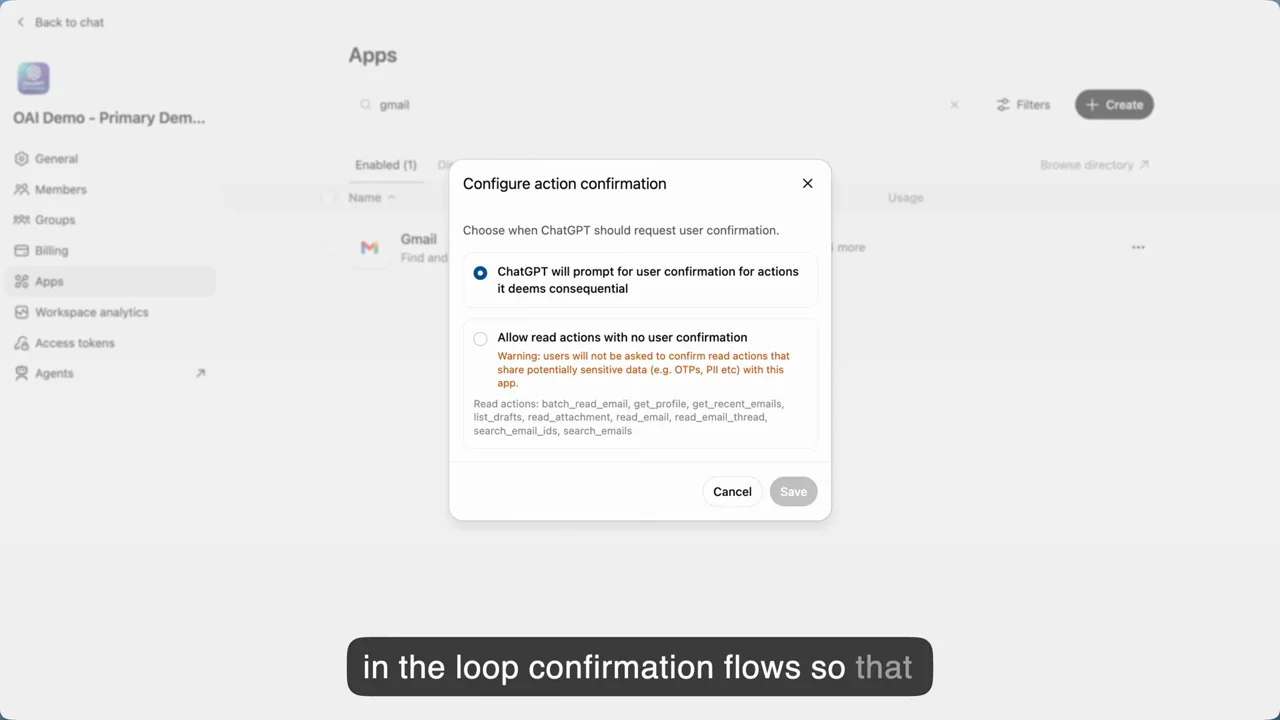
| Shot group 06 ≈ 02:02–02:17 App / browser screenWatch from here ↗ | Sample 02:12.000 | Action confirmation policy A confirmation dialog holds through the ending. | No separate logo outro in inspected samples. | End on the consequential control when it is the subject. |