Screen tutorial / 02:36 / Published 2026-04-24
Workspace agents in ChatGPT: Weekly metrics reporting agent
An agent configuration demonstrates connection identity, reusable instructions, scheduling, run history, and a report.
Useful to borrow
Keep setup, schedule, execution history, and output distinct.
Do not infer
A configured schedule alone does not establish future reliability or report accuracy.
7 shot groups.
Read across from the observed content to its treatment and possible adaptation. Enlarge the frame for detail.
Approximate study intervals; horizontal scrolling reveals all columns on small screens.
| Moment / source | Reference frame | What is on screen | Framing / edit | Useful adaptation |
|---|---|---|---|---|
| Shot group 01 ≈ 00:00–00:14 App / browser screenWatch from here ↗ | Sample 00:08.000 | Agent and tool setup The Tally agent opens a connected-tool picker. | Whole builder on a cyan field. | Establish the configured object. |
| Shot group 02 ≈ 00:14–00:42 App / browser screenWatch from here ↗ | Sample 00:32.000 | Connection identity Drive setup exposes user and agent-owned account choices. | Modal then close policy controls. | Keep identity choices visible. |
| Shot group 03 ≈ 00:42–01:26 App / browser screenWatch from here ↗ | Sample 01:08.000 | Reusable instructions The builder develops instructions and a skill-like reusable task. | Conversation beside configuration. | Show the instructions that govern the result. |
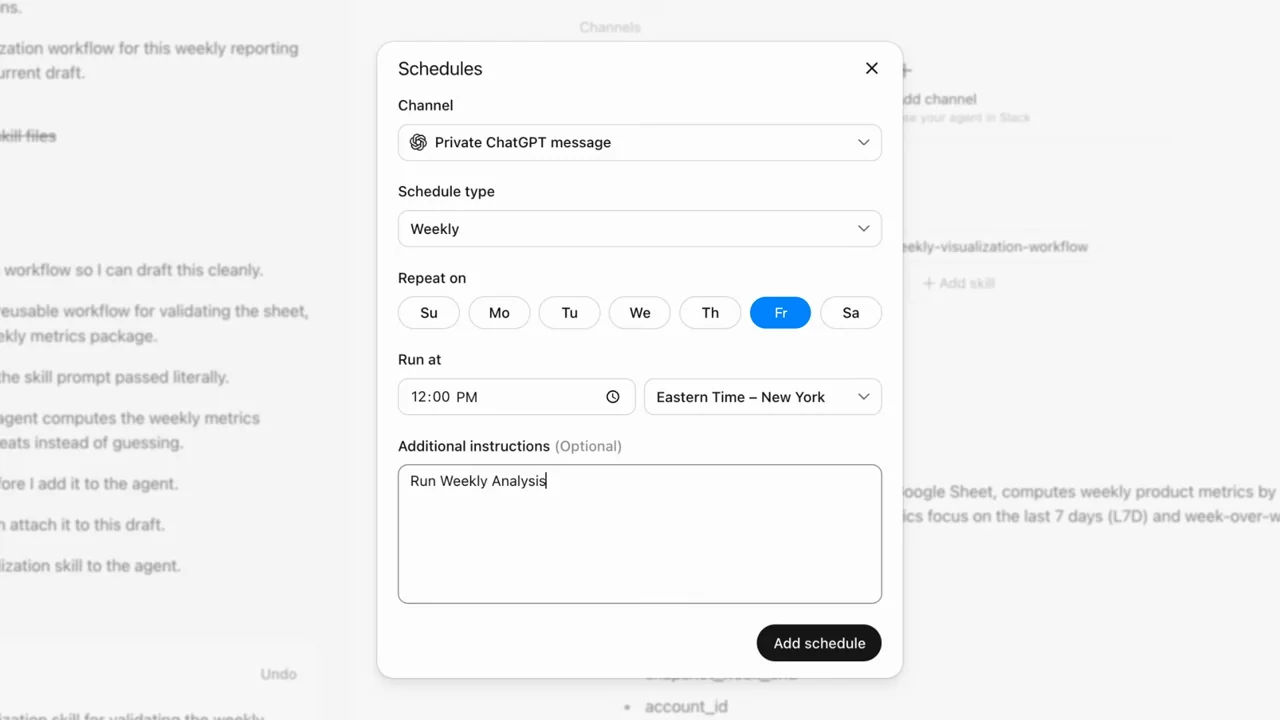
| Shot group 04 ≈ 01:26–01:46 App / browser screenWatch from here ↗ | Sample 01:36.000 | Schedule configuration A schedule dialog shows recurrence and an instruction field. | Focused modal within the builder. | Make recurrence readable. |
| Shot group 05 ≈ 01:46–01:54 Title / identityWatch from here ↗ | Sample 01:48.000 | Activity chapter A statement introduces reviewing activity. | Full white reset. | Distinguish setup from evidence of runs. |
| Shot group 06 ≈ 01:54–02:22 App / browser screenWatch from here ↗ | Sample 02:20.000 | History and report Run history leads through work details to a document with a table and chart. | Progressively inspectable result. | Show a report, not only a success status. |
| Shot group 07 ≈ 02:22–02:36 Title / identityWatch from here ↗ | Sample 02:28.000 | Closing cards Capability and availability cards precede identity. | Grouped text ending. | Do not carry historical availability claims into a new demo. |